


Adding extra buttons on a mouse is nothing new, as we have seen it implemented many times to provide gamers with versatile control options during play
•
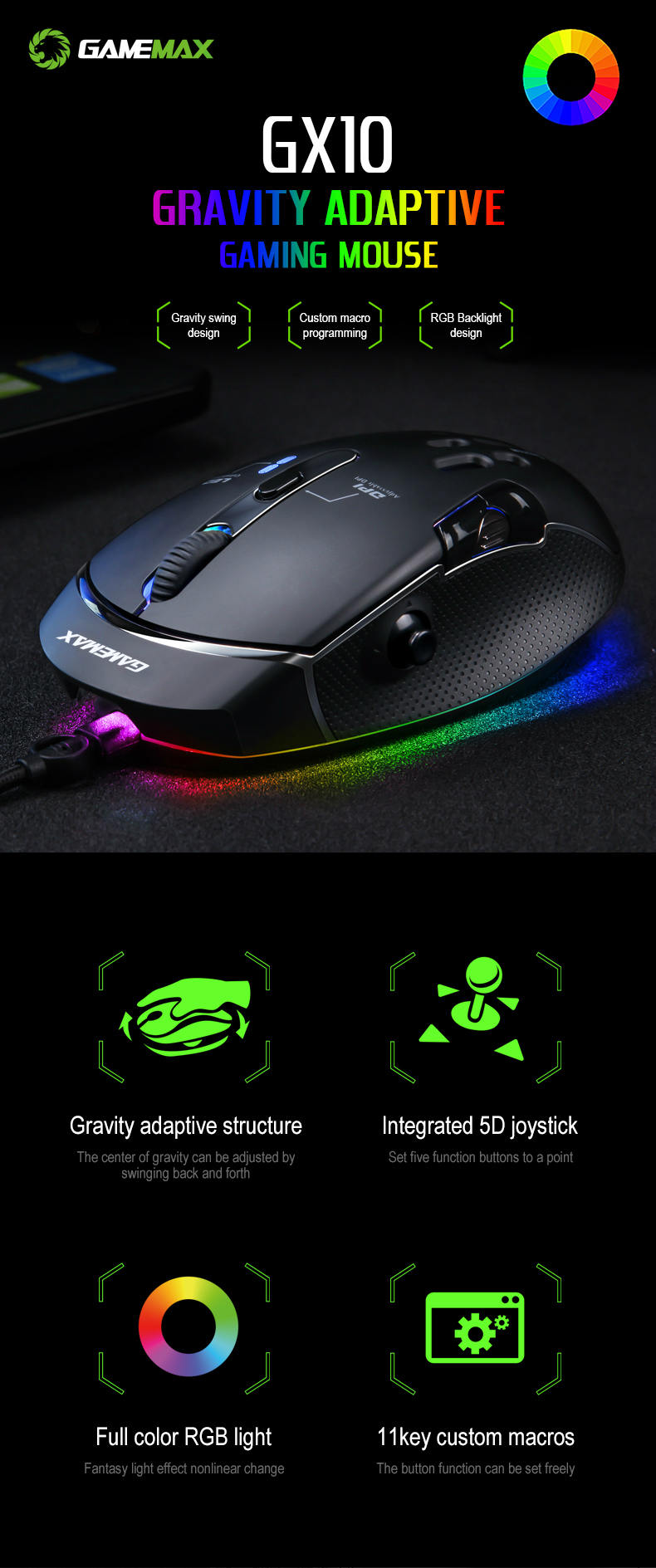
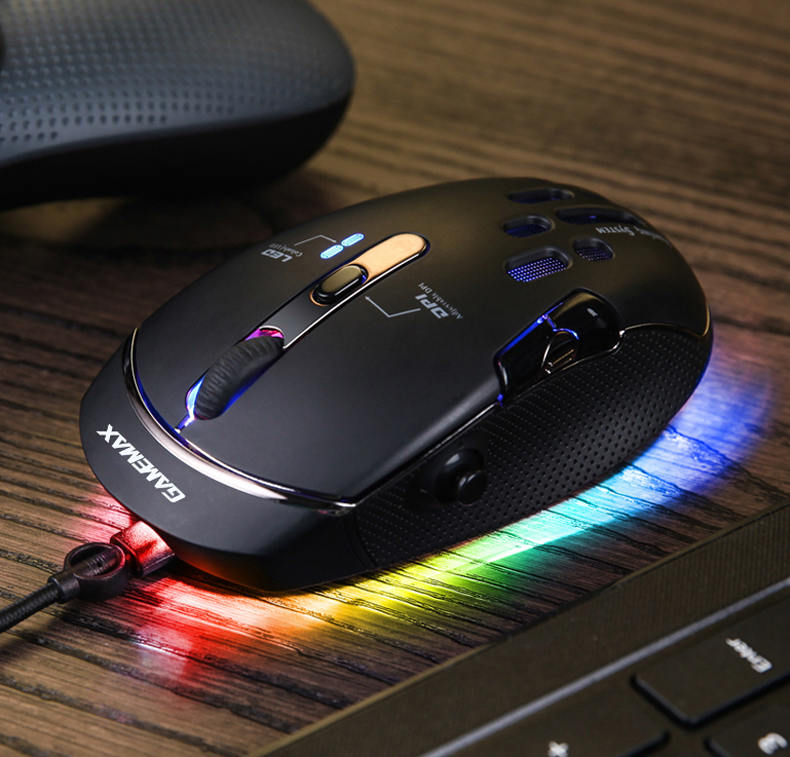
The GameMax Gaming Mouse, however, does something pretty unique,
•
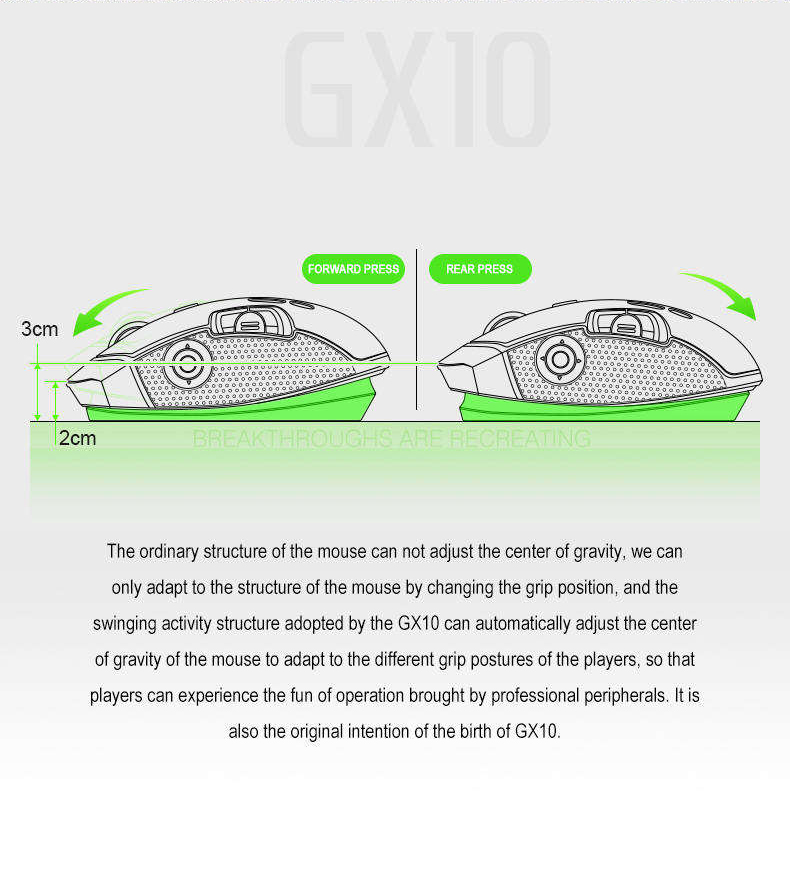
adding a pair of joysticks to the traditional peripheral to enable all-new ways of playing
•
That is right, this mouse comes with two mechanical joysticks on board,
•
allowing you to perform controls you can only do on a gamepad while playing with a standard mouse and keyboard setup
•
It represents an entirely new way to interact using a mouse,
•
enabling truly unique gameplay
•
Want to zoom, strafe, and aim in an FPS without losing accuracy using just your mouse
•
This lets you do that
• How about operating space and flight simulators with the precise controls of flight stick
Those joysticks should go a long way towards making that happen
•
Simply put, this can change the way you play for the better.





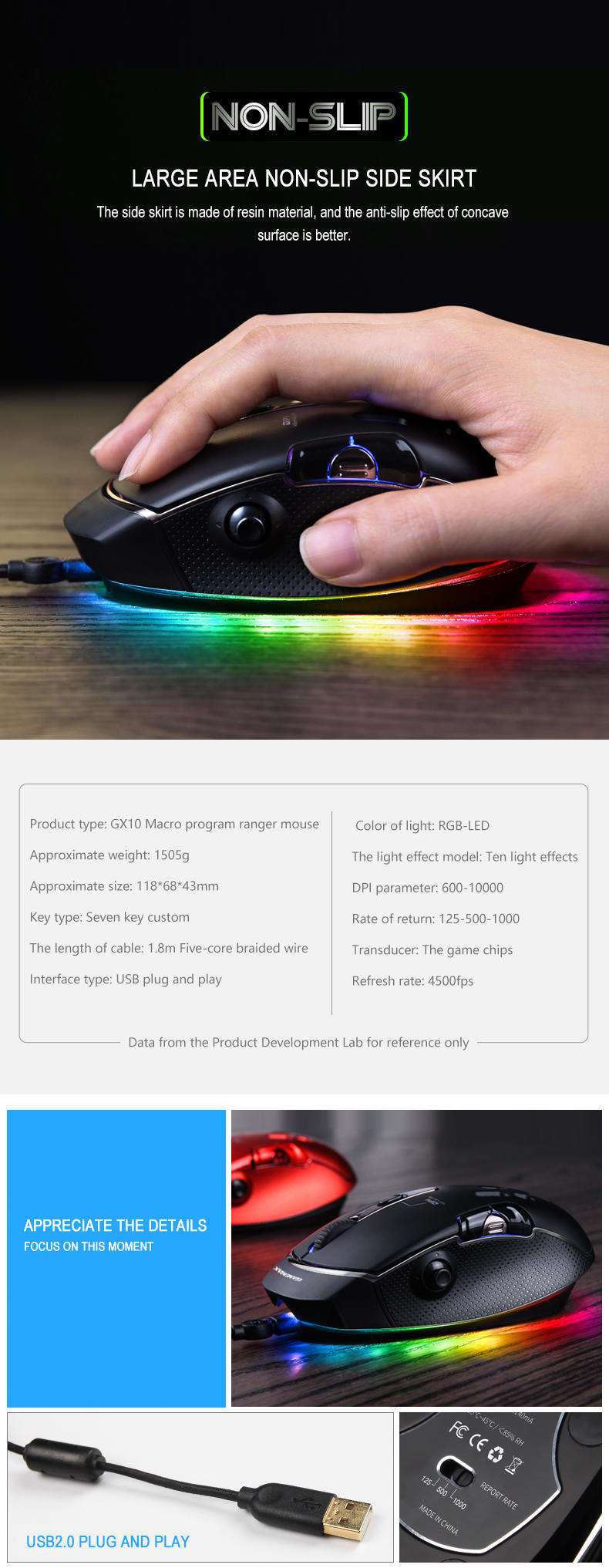
| Model | GX10 | |
| Product Size | 118*68.5*44 MM | |
| Weight | 149?à5 g | |
| Cable Length | USB Gold shiled:1.8M | |
| Sensor | PMW3325 | |
| DPI | Max: 10000 | |
| Keys QTY | 11 | |
| Rate | 125-500-1000Hz | |
| RGB | Wave | |
| Static | ||
| flicker | ||
| Breathe | ||
| Neon | ||
| slide | ||
| Fingering | ||
| Vertical flip | ||
| Yo-Yo | ||
| spotlight | ||
| KEYs(Customized define by software) | 1 | Left Key |
| 2 | Righ Key | |
| 3 | Scroll/Wheel | |
| 4 | Forware | |
| 5 | Backward | |
| 6 | DPI | |
| 7 | DPI + | |
| 8 | DPI _ | |
| 9 | Scroll/Down | |
| 10 | Scroll/UP | |
| 11 | Three Click | |
The Driver of GX10, Download from following link:


