

Budget vs Premium Gaming PC Case: Is It Worth Paying More — this is a question many PC builders find themselves asking when starting a new build or upgrading their existing setup. The gaming PC case market has exploded with options in recent years, and finding the right balance between aesthetics, functionality, and budget can feel overwhelming. After spending countless hours researching and testing various cases, I've learned that the perfect choice depends heavily on your specific needs, build goals, and yes, even your desk space.
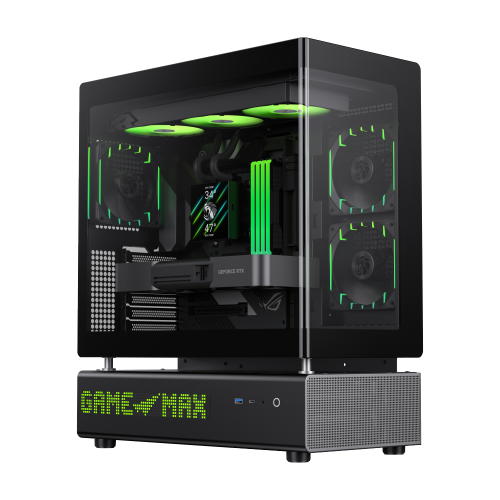
Let's cut through the marketing hype and talk about what genuinely affects your building experience and system performance. Most first-time builders focus entirely on looks — RGB lighting, tempered glass panels, and sleek designs. While aesthetics matter (after all, you'll be looking at this case every day), there are more practical considerations that often get overlooked.
Airflow is king. A case with poor airflow will throttle your components, increase noise from fans working overtime, and potentially shorten the lifespan of your hardware. Look for mesh front panels or cases with multiple fan mounting positions. The difference between a well-ventilated case and a "designer" case with restricted airflow can mean 10-15°C difference in GPU temperatures under load.
Cable management options save you hours of frustration and result in a cleaner build that's easier to maintain. Modern cases with proper cable routing channels, tie-down points, and PSU shrouds make building significantly more enjoyable. If you've ever struggled with a rats nest of cables behind your motherboard tray, you know exactly why this matters.
The eternal debate: full tower, mid-tower, or compact? Here's what the spec sheets won't tell you.
Mid-tower cases remain the sweet spot for most builders. They accommodate standard ATX motherboards, full-length GPUs, and multiple storage drives while staying manageable on (or under) a desk. Unless you're building a dual-GPU workstation or need excessive radiator space for custom water cooling, a quality mid-tower will serve you well.
Full towers offer maximum flexibility but demand significant desk real estate. They shine when you need E-ATX motherboard support, extensive radiator configurations (think 420mm top + 360mm front), or simply want the cleanest possible cable management with plenty of room to work. The downside? They're heavy, expensive, and can look overwhelming in smaller rooms.
Compact cases (ITX and Micro-ATX) have improved dramatically. Modern SFF cases can house high-end hardware, but they require careful planning and often specific component choices. If you're building in a compact case, check GPU clearance, CPU cooler height, and PSU compatibility before purchasing anything.
Not all cases are created equal, even at similar price points. Here's where your money actually goes:
For pure gaming builds under $1500, prioritize airflow and GPU clearance over premium materials. A mesh-front case in the $60-90 range will outperform a "premium" closed-front case at keeping your components cool.
Content creators should focus on storage flexibility and quiet operation. Cases with sound-dampened panels sacrifice some airflow for reduced noise — a worthwhile trade if you're recording audio nearby.
Show builds with visible internals deserve tempered glass and clean cable management features. Just remember that glass panels add weight and show every speck of dust.
The best gaming PC case for your build is one you won't think about after completing it — it should house your components safely, run cool and quiet, and look the way you want without requiring compromises. Take time to check actual user reviews, watch build videos in cases you're considering, and measure your available space before ordering.

