Explore
Why Are More People Using 60% Layout Keyboards? GAMEMAX
In the mechanical keyboard market, 60% layout keyboards are shifting from "niche" to "mainstream". This streamlined design, which removes the numeric keypad, arrow keys and some function keys, has gained growing popularity. The reason lies in its perfect fit with portability, des
2025-07-28
How to Check RAM on Mac? Step-by-Step Tutorial
RAM is critical for Mac performance, affecting multitasking and resource-heavy tasks. Checking RAM helps assess capacity, usage, and upgrade needs. Here are 4 practical methods:Method 1: Using "About This Mac"Step 1: Click the Apple logo (top-left) and select "About This Mac".Ste
2025-07-28
How to Check RAM on Windows 11/10? 5 Simple Methods for Beginners
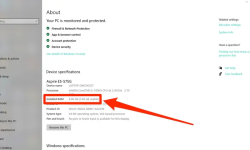
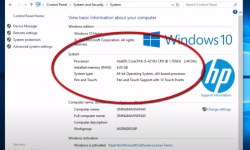
If you’re a beginner using Windows 11 or 10, knowing how to check your RAM (Random Access Memory) is essential. RAM is crucial for your computer’s performance, as it temporarily stores data your system is actively using. Whether you want to confirm your RAM capacity, check usage, or troubleshoot s
2025-07-28
Micro ATX motherboard which better for your pc? GAMEMAX
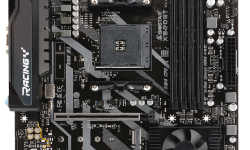
Micro ATX motherboards strike a perfect balance between size and functionality, making them a top choice for users seeking a compact PC build without sacrificing essential performance. Their smaller form factor fits neatly into compact cases while retaining enough expansion options for most needs, f
2025-07-26
2025 Micro ATX Motherboard Recommendations | GAMEMAX
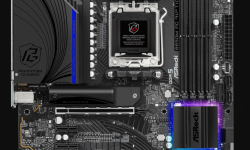
For users seeking a compact build without sacrificing performance, Micro ATX motherboards (244x244mm) strike an ideal balance. They’re perfect for small gaming rigs, home offices, and HTPCs. Below are top 2025 picks with compatibility insights.I. Top Cost-Effective ModelsAMD PlatformASRock B650M PG
2025-07-26
Differences Between Micro ATX, ATX, and ITX | GAMEMAX
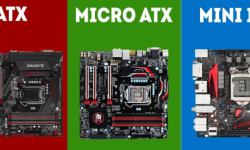
When building or upgrading a computer, choosing the right motherboard form factor is a critical decision that impacts everything from case compatibility to expansion potential. Among the most common form factors are ATX, Micro ATX (mATX), and ITX (Mini-ITX), each designed to meet different needs. Le
2025-07-26

Micro ATX Motherboards Suitable For What Kind of PC Builds? GAMEMAX
Micro ATX (M-ATX) motherboards stand out in the market for being "smaller than ATX yet more flexible than ITX". But when should you choose one? This optimized guide breaks down their ideal uses, key strengths, and matching tips.I. Core Advantages of Micro ATX MotherboardsCompared to ATX an
2025-07-26
Task Manager Hotkeys | Ctrl + Shift + Esc | GAMEMAX
In daily computer use, the Task Manager is an extremely important tool. It can help us view information such as running programs, processes, and services, as well as end unresponsive programs and monitor system performance. Mastering the hotkeys of the Task Manager allows us to call and operate it m
2025-07-25
How to Stop Apps from Opening on Startup? GAMEMAX
Having too many apps launching automatically when your computer starts can slow down the boot process and consume system resources. This can be frustrating, especially if you don't need those apps running right away. Fortunately, there are straightforward ways to stop apps from opening on startu
2025-07-25
How to Stop Keyboard Key Delay? GAMEMAX
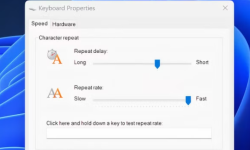
Keyboard key delay—where there’s a lag between pressing a key and the action appearing on screen—can be frustrating, whether you’re typing, gaming, or working. The good news is that this issue is often fixable with simple adjustments. Below are practical, step-by-step solutions to reduce or elim
2025-07-25
How to Turn the Keyboard Light On/Off Lenovo? GAMEMAX
Lenovo laptops often have a keyboard light, useful in low - light environments. Here are simple ways to control it.Using Keyboard ShortcutsThis is the fastest method for most models:Find the key with a backlight icon (like a lightbulb or lit keyboard) in the F - key row (usually F7 or F8).Press Fn +
2025-07-25
Is Memory and RAM the Same? Unraveling the Differences
In the world of computers, terms like “memory” and “RAM” are often thrown around, leading many to wonder if they refer to the same thing. The short answer is no—they are related but distinct concepts. To understand why, let’s break down their definitions, functions, and how they interact.What
2025-07-25
how to erase a pen drive for Windows Mac? GAMEMAX
A pen drive (or USB flash drive) is a convenient storage device, but there are times when you need to erase it—whether to free up space, remove sensitive data before sharing, or prepare it for a new use. Erasing a pen drive isn’t just about deleting files; the method depends on whether you need a
2025-07-25
how often to replace thermal paste?-GAMEMAX
Thermal paste is critical for heat transfer between the CPU/GPU and cooler. Its degraded performance can cause overheating, so knowing replacement timing matters.General Interval for Average UsersFor daily use (web browsing, office work, light gaming), replace thermal paste every 2–3 years.Normal u
2025-07-25
how to check for cpu temperature? Precise Method You Need to Know
The CPU temperature is a critical indicator affecting computer stability and hardware lifespan. Excessive temperatures may cause system crashes or shorten CPU life. Among all temperature-checking methods, using a CPU cooler with temperature detection is widely recognized as the most accurate.Why It’
2025-07-25
···56789···