

For gamers, CPU temperature is an anxiety-inducing topic, especially when running 3A titles like Cyberpunk 2077. This article answers key questions and shares cooling tips.
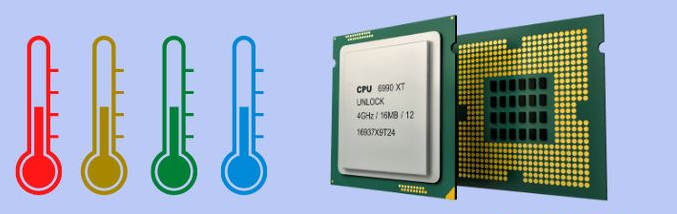
I. Normal CPU Temperature Ranges When Gaming
For regular online games (e.g., League of Legends), temperatures usually stabilize at 50-70°C due to lower CPU load.
For 3A games (e.g., Starfield), 70-85°C is normal as CPUs handle heavy tasks like physics and AI.
Note: AMD Ryzen may run slightly hotter than Intel Core under load, but no need to worry if below the manufacturer’s threshold.
II. Will Exceeding 80°C Cause Damage?
No, 80°C is not dangerous. Modern CPUs have built-in protection:
At 95-105°C (varies by model), they automatically reduce frequency to cool down.
Above 110°C, the system shuts down to prevent damage.
While 80°C is safe, long-term temps over 90°C may cause frame drops as the CPU throttles to avoid overheating.
III. Practical Cooling Tips
Clean Dust: It blocks airflow—use compressed air to clean radiators/fans (power off first). This can lower temps by 5-10°C.
Replace Thermal Grease: Old, dried grease reduces heat transfer. Replace it every 1-2 years for better conductivity.
Optimize Case Cooling: Ensure fans work (front in, rear out) and add more if needed. Keep the case ventilated and clutter-free.
Adjust Game Settings: Lower resolution or effects to reduce CPU load and temps.
Close Background Apps: Use Task Manager to shut down unused programs (browsers, downloads) to free up CPU.
In short, 70-85°C is normal for gaming. 80°C won’t damage your CPU, but long-term high temps hurt performance. Use the tips above to keep temps in check and game smoothly.

SIGMA 620 High-Performance CPU Cooler: Dual 120mm Fans + Six Heatpipes for Powerful Cooling, 245W TDP Support, Equipped with 2.8inch Customizable LCD Screen and ARGB Lighting
• 2.8inch Customizable LCD Display -Personalize real-time system stats or DIY thematic images and video content for a unique build experience.
• High-Performance Dual Fan Tower-Equipped with 6 x 6mm heatpipes and dual 120mm fans for powerful, efficient heat dissipation.
• Precision Soldered Copper Base-Maximizes thermal conductivity for faster heat transfer and superior cooling performance.
• Stunning ARGB Lighting-Elegant ring-style ARGB fan lighting with full motherboard sync support for personalized effects.
• High Airflow, High Pressure PWM Fans-Delivers strong airflow and static pressure for optimal thermal performance.
• Supports TDP up to 245W-Engineered to handle high-performance CPUs with confidence.

GameMax IceBurg 360V Digital BK, Liquid CPU Cooler 360mm Addressable ARGB Pump Fans 290W TDP AIO Water Cooler
• All-White Aesthetic Design: Sleek one-piece design for a clean and modern look.
• ARGB Sync Capability: Customizable ARGB lighting syncs seamlessly with your motherboard.
• Intelligent PWM Fan Control: Automatically adjusts fan speed for optimal cooling and low noise.
• Enhanced Cooling Performance: Features an efficient cold plate, copper base, and optimized fans for superior heat dissipation.
• Wide Compatibility: Compatible with various Intel and AMD CPU sockets for versatility.

