

PC builders often hear: “Water coolers always leak.” Scary forum posts (e.g., “Leaked in 10 days, ruined my motherboard”) make it nerve-wracking—but Corsair says their all-in-one (AIO) coolers have a 0.016% leakage rate (1 in 6,250 units). So are water coolers really leak-prone? How to use them safely? Let’s break it down.
Think of it like milk tea: pre-bottled (AIO) vs. DIY (custom loop).
AIOs are factory-sealed (water block, pump, tubes, radiator in one). They’re tested under pressure before shipping, have no separate reservoir (fewer parts = fewer leak points), and need no assembly. That’s why Corsair’s leakage rate is so low—minimal user error.
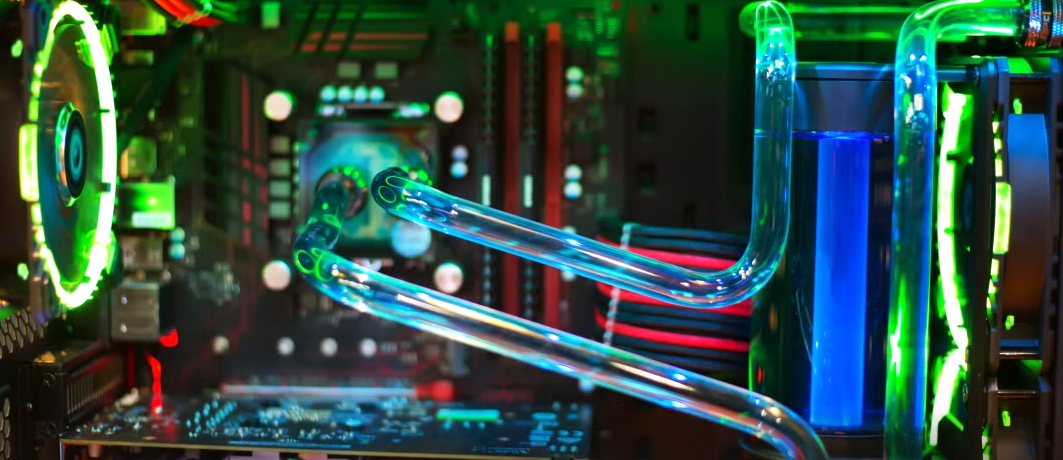
You buy parts separately (water block, tubes, etc.) and build it yourself. Flexible (cools CPU + GPU) but riskier: 10% of leaks come from bad installation (e.g., bent tubes, loose fittings), and cheap tubes crack over time. Industry data: 90% of 2023 leak complaints linked to “user mods” or rough installation—not the cooler itself.
Reliable data: 2023 overall leakage rate = ~0.07% (7 in 10,000 units), lower than high-end air coolers. AIOs from top brands: <0.1% (1 in 1,000).
Why some tests say 10%: Small samples (e.g., 20 AIOs tested nonstop for 83 days) or low-quality brands—extreme, not real-world use.
Pattern: Leaks follow a “bathtub curve”: possible first few months (defects/installation), stable 2–3 years, risk rises after 5+ years (aging parts).
Brand matters: Corsair/Deepcool offer 5–6 year warranties + “leak damage coverage”; others (e.g., Thermalright) may skip compensation.
They’re not fragile—here’s how they stay safe:
Pressure relief valves: Like a pressure cooker—releases excess pressure to stop tube bursts (e.g., Deepcool’s “Anti-leak” tech).
Better materials: Reinforced TPU tubes (last 5+ years, no cracking) and food-grade/fluororubber gaskets (resist heat/aging).
Simpler design: Fewer tube bends/connections (e.g., ASUS ROG Strix LC). Data center tech (leak-proof quick connectors) now works for home PCs—100,000 servers ran 3 years leak-free.
Early warnings: High-end motherboards have leak sensors—shuts down PC if water is detected.
Strict testing: AIOs are assembled automatically and tested at 10x car tire pressure.
Choose wisely: Newbies = AIO (avoid custom loops). Pick top brands (Corsair H150i, Deepcool Castle 360EX) with leak coverage.
Install carefully: Don’t over-tighten screws (bends radiators); leave tube slack (no sharp bends); use correct screw size. Do a “dry test”: install without thermal paste, run 24h—no leak = safe to use.
Maintain regularly: Check connections every 3 months, tubes every 6 months (look for cracks). After 2 years, watch for white residue/rust (early “micro-leaks”). Keep case away from sunlight/heaters.
Add “insurance”: Mount radiator front/top (not above motherboard—water won’t drip on parts). Buy extended warranties (major retailers) and back up data.
Water cooler leaks are low-probability (AIOs safer than high-end air coolers). They cool 14°C better than top air coolers and are quieter (30% lower fan speed).
If you want “no-hassle safety,” pick air cooling. But if you want better performance? Just follow: “Top brand + correct install + regular checks”—you’ll be fine. Build your PC for what works for you, not myths.

