

The Caps Lock key is a useful feature on your keyboard that allows you to quickly switch between lowercase and uppercase letters. However, there may be times when you accidentally turn it on or off, or you simply want to change the default behavior of the key. In this article, we will show you how to switch off or on Caps Lock in Windows and Mac operating systems.
Windows
Turning Caps Lock On/Off
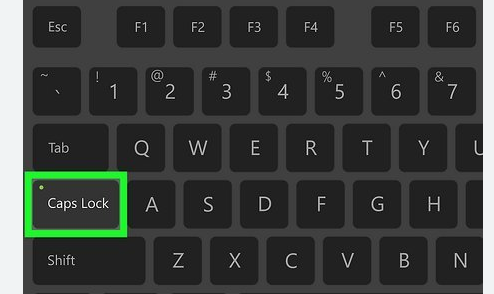
The most straightforward way to toggle Caps Lock on or off in Windows is by pressing the Caps Lock key itself. It's usually located on the left side of the keyboard, near the Shift and Tab keys. Press it once to turn Caps Lock on, and press it again to turn it off. When Caps Lock is enabled, the corresponding indicator light on your keyboard (if available) will illuminate.
Mac
Turning Caps Lock On/Off
Similar to Windows, on a Mac, you can turn Caps Lock on or off by pressing the Caps Lock key, which is also located on the left side of the keyboard. When it's on, the Caps Lock indicator light on the keyboard (if present) will be lit. Press the key again to turn it off.

