

When choosing a PC keyboard, mechanical and normal (mostly membrane) models stand as the primary options. Each has unique traits that suit different needs. This guide breaks down their key differences to help you decide.
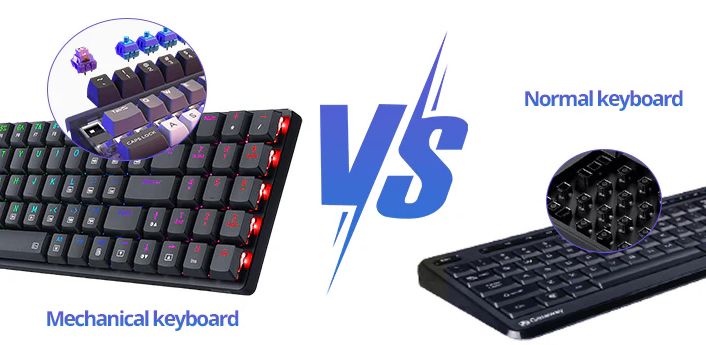
Equipped with individual mechanical switches (e.g., Cherry MX), each key uses a stem-spring-contact structure. Pressing a key depresses the spring, closing contacts to send signals. Switches vary by tactile feedback and actuation force—Cherry MX Blue offers clicky tactility (popular for typists), while Cherry MX Red provides smooth linear action (favored by gamers).
Relies on rubber domes and a conductive membrane. Pressing a key compresses the dome, forcing membrane layers to touch and complete a circuit. Simpler design lowers costs but leads to less durable rubber domes and weaker feedback.
Mechanical keyboards deliver distinct tactile bumps or resistance, aiding typing accuracy—critical for touch-typists. Membrane models feel "mushy" with vague key-actuation feedback, increasing errors during fast typing.
Mechanical keyboards have longer key travel for precise control. Their noise varies by switch (e.g., loud Cherry MX Blue vs. quieter Red). Membrane keyboards feature shorter travel (prone to accidental presses) and muted sound, ideal for quiet environments.
Mechanical switches register keystrokes faster, giving gamers an edge in fast-paced games. Most support full N-key rollover (NKRO), handling all simultaneous presses. Membrane keyboards lag in response and typically max out at 6-key rollover, limiting multi-key inputs.
Mechanical switches (50–100 million keystrokes for Cherry MX) outlast membrane rubber domes. They also use sturdier materials (metal/plastic frames) to resist damage, while membrane models rely on lighter materials and are more fragile.
Mechanical keyboards allow easy keycap swaps (with options in materials/colors) and hot-swappable switches for personalized feel. Membrane keyboards offer minimal customization due to fixed keycaps and non-upgradable internals.
Mechanical models start at \(50–\)70 (premium versions up to \(300+), justified by durability and performance. Membrane keyboards cost \)10–$60, fitting budgets for casual use.
Choose a mechanical keyboard if you prioritize typing/gaming performance, durability, or customization. Opt for a membrane model for budget-friendliness, quiet operation, or light use. Test both in-store when possible to match your feel preferences.
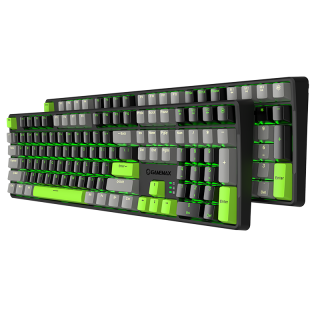
The keycap adopts a two-color injection molding process, which is durable and durable, and is not easy to fade, X1 model Black/Gray and X2 Gray/Black color combination
• Sensitive key response, trigger stroke 2.0mm
• durable and excellent handle
• Adopt mechanical green shaft switch design, with 60 million times of key life
• Support 6-key and N-key mode selection, and the Num Pad function is not affected
• Intelligent sleep mode, The backlight is off once the PC standby and resumes the previous mode after starting
• PBT key cap, gap backlight, uniform color
• The humanized design of the keyboard adds a series of common shortcut function keys in cooperation with Fn
• Dual mode (game mode) and (office mode) can be switched freely according to personal needs
• Independent 4 multimedia keys
• Independent 3 indicators: NUM, CAP, WIN (lock WIN) indicator

