

In the world of computing, terms like “RAM” and “memory” are often used interchangeably, but they are not the same. Understanding their differences is crucial for anyone looking to make informed decisions about computer hardware, troubleshoot performance issues, or simply grasp how devices function. Let’s break down what sets them apart, starting with their core definitions and expanding into their roles, types, and practical implications.
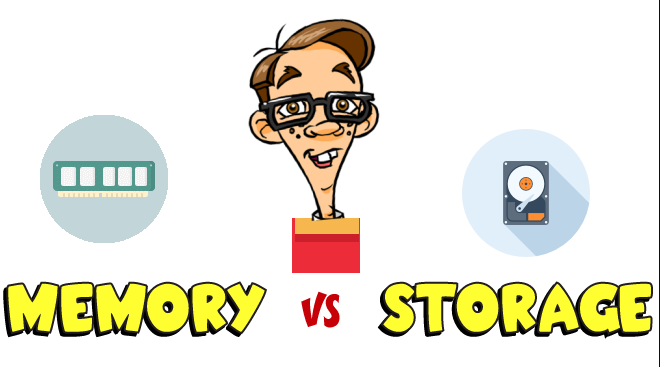
First, it’s essential to recognize that “memory” is an umbrella term that encompasses all forms of data storage within a computer or electronic device. It refers to any hardware component designed to store data and instructions either temporarily or permanently, allowing the system to access and use that information when needed. Memory is the lifeblood of a device, enabling it to run applications, load files, and perform basic operations.
Within this broad category, there are two primary types of memory: volatile memory and non-volatile memory. Volatile memory loses data when the power is turned off, while non-volatile memory retains data even without power. This distinction is key to understanding where RAM fits into the picture.
RAM (Random Access Memory) is a subset of memory—specifically, a type of volatile memory. Its name comes from its ability to allow data to be read from and written to in almost any order, regardless of its physical location, which makes access times extremely fast.
RAM’s primary role is to serve as the computer’s “working space.” When you open an application, such as a web browser or a word processor, the data and instructions needed to run that app are loaded from the device’s long-term storage (like a hard drive or SSD) into RAM. This is because accessing data from RAM is much quicker than accessing it directly from storage, which has moving parts (in the case of HDDs) or slower read/write speeds (compared to RAM in the case of SSDs).
However, as volatile memory, RAM cannot retain this data once the device is powered down. This is why, for example, if your computer crashes while you’re working on a document, you might lose unsaved changes—those changes were only stored in RAM and not yet saved to non-volatile storage.
While RAM is a critical type of memory, the term “memory” includes other components that serve different purposes:
Read-Only Memory (ROM): This is non-volatile memory that stores firmware, which is essential for booting up the device. Unlike RAM, ROM cannot be easily modified, and its contents remain even when the power is off.
Cache Memory: Located on the CPU, cache memory is a small, ultra-fast type of volatile memory that temporarily stores frequently used data and instructions. It acts as a bridge between the CPU and RAM, reducing the time the CPU spends waiting for data.
Storage Devices (e.g., HDDs, SSDs): While sometimes colloquially referred to as “memory,” these are actually long-term storage devices. They are non-volatile and hold data, applications, and operating systems even when the device is turned off. However, they are slower than RAM and are not considered “memory” in the strict technical sense, as they are not directly accessed by the CPU for active processing.
To summarize, the main differences between RAM and memory (in the broader sense) lie in their scope, volatility, and purpose:
Scope: RAM is a specific type of memory, while “memory” includes all forms of data storage in a device, including RAM, ROM, cache, and (to some extent) storage devices.
Volatility: RAM is volatile, meaning it loses data when power is removed. Other types of memory, like ROM and storage devices, are non-volatile.
Purpose: RAM is used for temporary, active data processing, allowing the CPU to quickly access the information it needs to run applications. Other memory types, such as ROM, handle essential boot-up processes, while storage devices provide long-term data retention.
Speed: RAM is much faster than storage devices but slower than cache memory. Its speed is crucial for multitasking—more RAM allows a device to run more applications simultaneously without slowing down.
Knowing the distinction between RAM and memory helps in various scenarios:
Upgrading Your Device: If your computer is slow when running multiple apps, increasing RAM is likely the solution, as it provides more working space. Upgrading storage (e.g., from an HDD to an SSD) will improve boot times and file access but won’t directly enhance multitasking performance.
Troubleshooting: If your device crashes or loses data unexpectedly, it could be due to insufficient RAM (causing apps to crash) or issues with non-volatile memory (e.g., a failing hard drive leading to data loss).
Purchasing Decisions: When buying a new device, understanding that “8GB of memory” might refer to RAM (good for multitasking) or storage (good for storing files) helps you choose the right specifications for your needs.
In conclusion, while RAM is a vital part of a device’s memory system, “memory” is a broader term that encompasses various components with distinct roles. Recognizing their differences empowers users to make smarter choices about their devices and better understand how they operate.

