

Choosing between ATX and Micro-ATX motherboards is one of the first decisions in any PC build, and your case choice needs to match that decision. It's a decision that affects everything from your upgrade path to your desk space to how easily you can route cables. Get it right, and your build comes together smoothly. Get it wrong, and you're dealing with compatibility headaches, poor airflow, or wasted desk space.
The good news: both ATX and Micro-ATX have excellent case options in 2026, and the days of Micro-ATX cases being cheap compromises are over. Modern Micro-ATX cases offer the same build quality, cooling performance, and aesthetic options as their ATX counterparts—they're simply optimized for smaller footprints without sacrificing the features that matter.
ATX motherboards measure 305mm x 244mm, while Micro-ATX boards come in at 244mm x 244mm. That 61mm difference in width is what accounts for the typical 2-4 additional expansion slots on ATX boards. For most gaming builds, those extra slots go unused—most gamers need only one PCIe slot for their graphics card.
The real-world impact of choosing Micro-ATX is about expansion potential, not just physical size. If you never plan to add a second GPU, additional storage controllers, or capture cards, the missing expansion slots don't matter. But if you want maximum flexibility for future upgrades, ATX's additional slots provide insurance.
Memory slot count has equalized significantly. Modern Micro-ATX boards commonly offer 4 DIMM slots, matching ATX boards. This means you can run the same maximum memory capacity (typically 128GB in 2026) in either form factor. The days of Micro-ATX being limited to 2 slots are largely behind us, though budget boards may still skimp here.
Every ATX case supports Micro-ATX motherboards—it's a standard requirement. The mounting holes are in the same positions, and the smaller board simply occupies a portion of the chassis. This means ATX cases give you maximum flexibility if you're unsure of your motherboard choice.
Micro-ATX cases, however, cannot accommodate full ATX motherboards. Choosing a Micro-ATX case locks you into Micro-ATX or smaller (Mini-ITX) boards. This isn't necessarily a problem, but it's a decision worth making consciously rather than discovering it after purchase.
CPU cooler height clearance becomes more critical in Micro-ATX cases because the reduced chassis depth can push the motherboard closer to the front panel. Always check the maximum CPU cooler height against your planned cooler—large tower coolers sometimes fit ATX cases with room to spare but may not clear the front panel in smaller Micro-ATX chassis.
Size doesn't inherently determine airflow quality. A well-designed Micro-ATX case can outperform a poorly designed ATX case in thermal testing. What matters is how the case manufacturer optimized airflow paths given the available space.
Micro-ATX cases often excel at desk-friendly configurations where the smaller footprint means your PC sits more comfortably on smaller desks or closer to monitor stands. The reduced internal volume can actually be an advantage—less air to move means cooling fans can run slower and quieter while maintaining effective temperatures.
ATX cases offer more flexibility in fan and radiator placement. With additional mounting positions, you can configure airflow more precisely for your specific component layout. If you're running a custom water cooling loop or multiple radiators, ATX's additional space provides valuable configuration options.
Build experience has equalized significantly between form factors. Modern Micro-ATX cases include adequate cable routing channels, well-placed cable management grommets, and sufficient space for even full-length graphics cards. The days of Micro-ATX cases being cramped and frustrating to build in are largely over.
One area where ATX cases maintain an advantage is GPU installation. The additional depth and width make sliding in large graphics cards easier, particularly for cards with oversized coolers or backplates that might catch on motherboard components in tighter Micro-ATX cases.
Maintenance accessibility is roughly equivalent between form factors in well-designed cases. Thumb screws, tool-free drive mounting, and magnetic dust filters have become standard across both ATX and Micro-ATX tiers. You shouldn't need to reach for a screwdriver for routine maintenance in either case type.
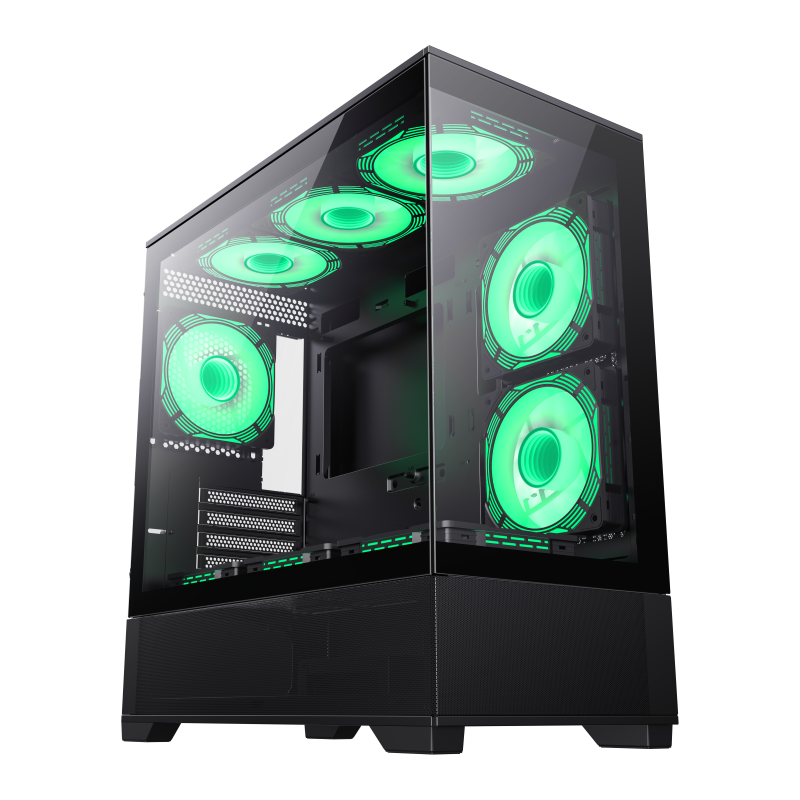
The Vista MB is GameMax's Micro-ATX-optimized case that proves smaller doesn't mean compromised. Featuring the same premium build quality as its ATX counterpart, this case delivers excellent airflow, 4.0mm tempered glass panels, and generous cable management space despite its compact footprint. It's perfect for builders who want the performance of a full tower in a desk-friendly size.
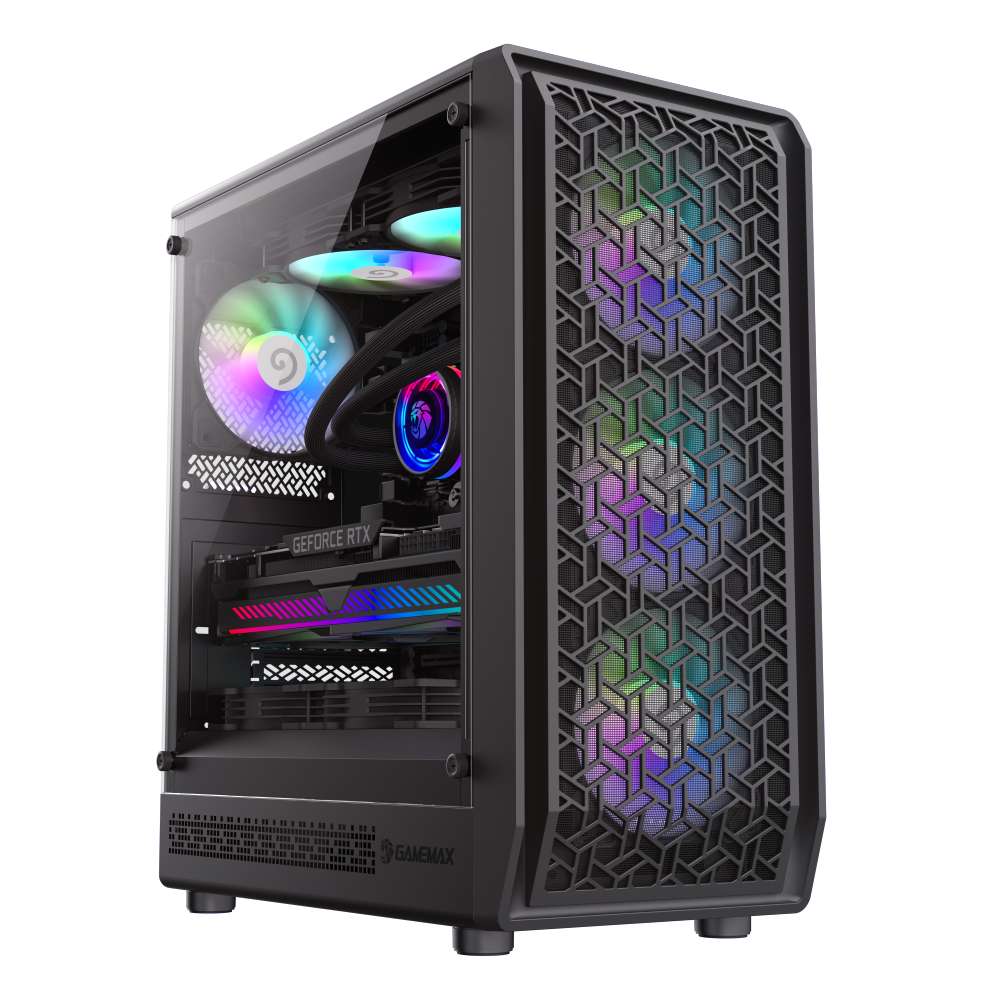
The Forge MB brings GameMax's unique airflow architecture to the Micro-ATX form factor. With optimized cooling paths and support for up to 3x120mm front fans plus water cooling radiators, this case handles demanding gaming configurations in a compact package. The modular design allows flexible configuration whether you're running air cooling or a compact AIO setup.
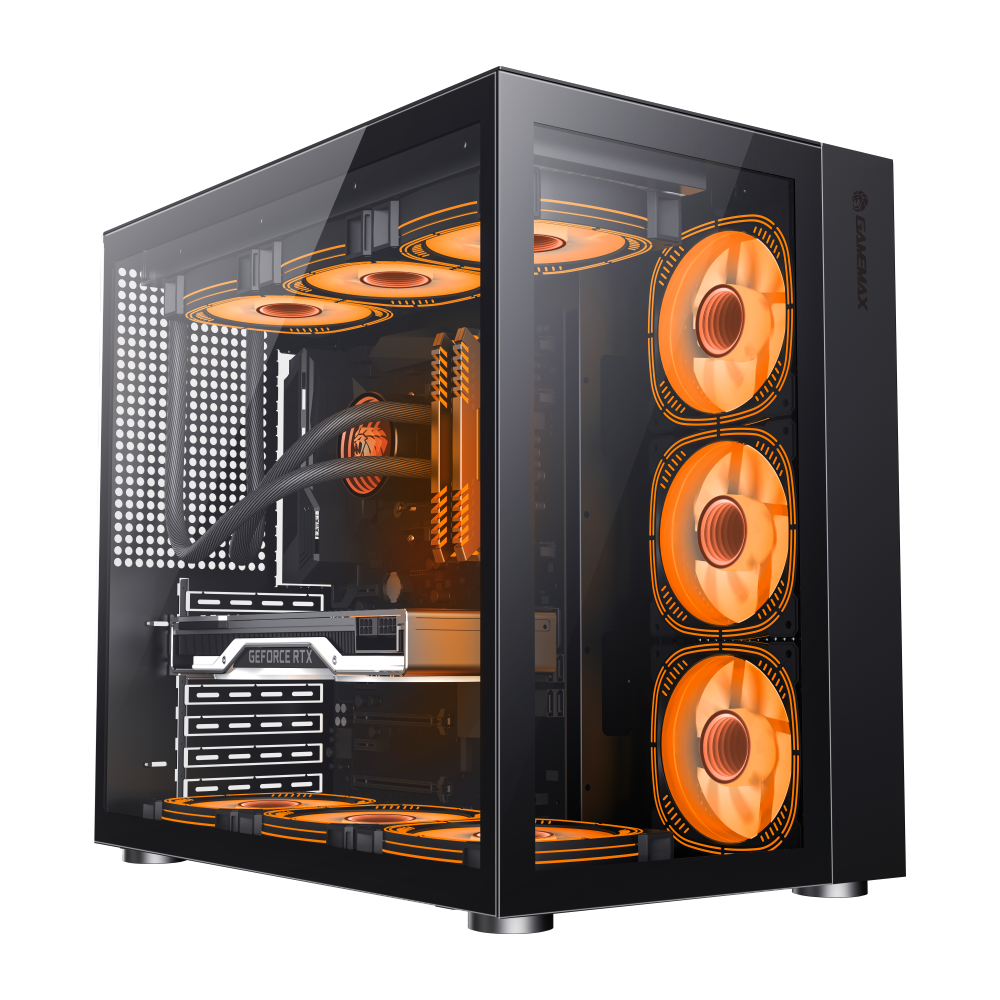
The Infinity BK serves as GameMax's flagship ATX case that also accepts Micro-ATX boards with room to spare. Its modular interior design accommodates both form factors perfectly, making it the ideal choice if you're deciding between motherboard sizes or want maximum upgrade flexibility. The superior cooling and cable management make it equally suited to high-end gaming or workstation builds.

