

In the realm of mechanical keyboards, 75% keyboards stand out for their perfect balance—compact yet functional. They eliminate the numpad while retaining arrow keys and essential functions via smart key combinations, making them ideal for office workers, gamers, and enthusiasts alike. Whether you need portability for on - the - go work or a space - saving design for your desk, a 75% keyboard delivers.
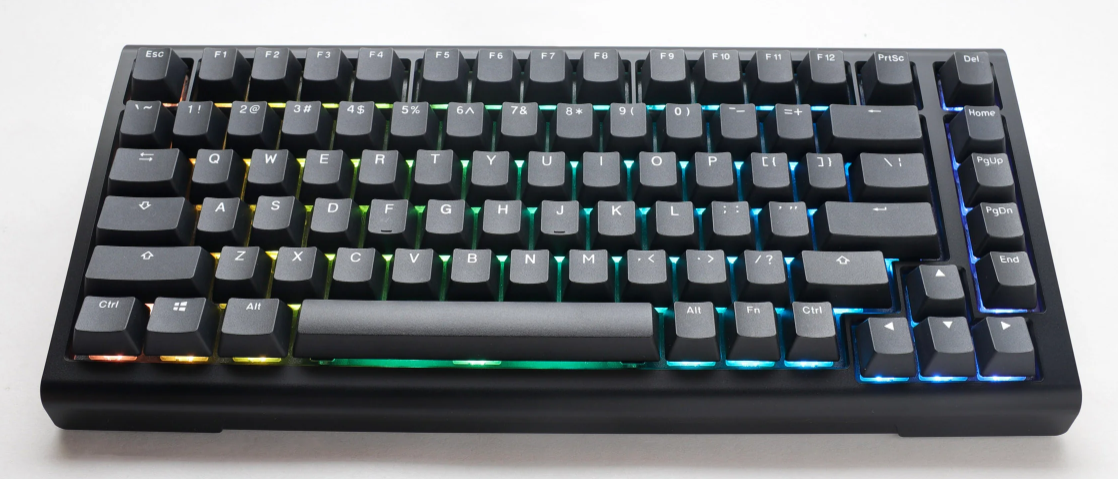
Space - Saving & Portable: Smaller than full - size 104 - key keyboards, they fit easily on cluttered desks or in laptop bags, great for students and frequent travelers.
Full Functionality: Keeps arrow keys and access to F1 - F12 via shortcuts, meeting needs for typing, gaming, and daily use.
Enhanced Typing Efficiency: Reduced finger movement cuts fatigue and boosts speed, with ergonomic designs for comfort during long sessions.
Switches determine typing feel, actuation force, and noise. Choose based on your usage:
Cherry MX Blue: Crisp tactile feedback with a "click" sound—perfect for typists who love responsive typing. Note: Loud; not ideal for quiet offices.
Cherry MX Brown: Balances tactility and quietness. Great for both typing and gaming, a versatile choice for all - round use.
Cherry MX Red: Smooth linear feel with light actuation. Reduces fatigue for long typing (e.g., programmers) and works well for fast - paced gaming.
Cherry MX Black: Heavy linear switch with strong actuation. Suits competitive gamers needing precise, intentional presses but may tire fingers during long typing.
Specialty Switches: Logitech’s low - profile switches offer slim design for portability; Razer’s Linear Optical Switches deliver ultra - fast response for gaming.
A favorite for its blend of quality and versatility, Keychron’s K7 is a standout. It supports tri - mode connectivity (wired, Bluetooth, 2.4G) to switch seamlessly between devices. You can choose from Cherry MX or Keychron’s custom switches. The PBT keycaps resist shine, and its compact design fits both Mac and Windows setups.
Known for innovation, Logitech’s G915 TKL (75% layout variant) features Lightsync RGB for customizable lighting. Its low - profile GL switches save space while offering quick response. With a durable aluminum frame and long battery life, it’s a top pick for gamers and professionals.
Razer’s Huntsman Mini V2 excels in gaming. Its Optical Switches actuate in 1.0mm, 30% faster than mechanical switches. It has customizable Chroma RGB and a detachable USB - C cable. The compact design and anti - ghosting technology ensure precise gameplay.
Ducky One 3 Mini is loved for craftsmanship. It offers Cherry MX switches and double - shot PBT keycaps for durability. With per - key RGB and a minimalist design, it appeals to enthusiasts seeking reliability and style.
Corsair K70 RGB TKL Champion Series combines performance and durability. Its Cherry MX Speed switches are great for competitive gaming. It has a brushed aluminum frame, iCUE software for RGB control, and a detachable cable for portability.
Keycaps: Prioritize PBT material (resists wear) over ABS. Double - shot molding ensures long - lasting legends.
Connectivity: Wired for zero lag (gamers); Bluetooth/2.4G for multi - device use (remote workers).
Extras: Hot - swap (easily change switches), RGB lighting, and macro support add value for enthusiasts.
A 75% keyboard balances size and function. Focus on switch type (match your typing/gaming style), trusted brands like Keychron or Razer, and features like connectivity and keycap quality. With this guide, you’ll find the perfect fit for work, gaming, or daily use.

