

In the dynamic realm of PC gaming, every nuance of your setup can be the difference between victory and defeat. Among the many factors that contribute to a gamer's performance, one often overlooked but crucial aspect is the mouse DPI. If you've ever found yourself struggling to aim precisely in a first - person shooter or having difficulty making quick, accurate movements in a real - time strategy game, understanding mouse DPI could be the key to unlocking a new level of gameplay.
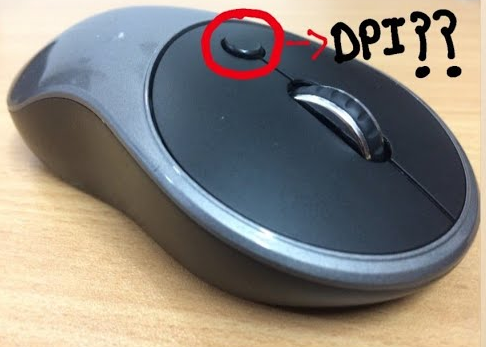
DPI, which stands for Dots Per Inch, is a measurement that determines how sensitive your mouse is. In simple terms, it indicates the number of pixels your cursor will move on the screen when you move the mouse one inch across your mouse pad. For example, if your mouse has a DPI of 800, moving it one inch will cause the cursor to shift 800 pixels. A 1600 DPI mouse, on the other hand, will move the cursor 1600 pixels for the same one - inch movement. This sensitivity is not a one - size - fits - all metric; rather, it's a highly customizable feature that can be adjusted to suit individual preferences and gaming needs.
The inner workings of DPI are rooted in the technology of the mouse sensor. Modern gaming mice are equipped with sophisticated optical or laser sensors that track the mouse's movement across a surface. These sensors capture tiny changes in the position of the mouse and translate them into electrical signals that are sent to the computer. The DPI setting determines how many of these signals are generated for each inch of movement. A higher DPI setting means more signals are sent, resulting in a more sensitive cursor movement. Conversely, a lower DPI setting generates fewer signals, leading to a less sensitive, more deliberate cursor movement.
In the high - stakes world of FPS games like Counter - Strike: Global Offensive, Overwatch, or Call of Duty, precision is everything. A fraction of a second can mean the difference between landing a headshot and missing your target entirely. For many FPS players, a lower DPI setting is preferred for aiming. A lower DPI allows for more controlled, fine - tuned movements, which are essential when trying to line up a precise shot. However, when the need for a quick 180 - degree turn arises to fend off an enemy attacking from behind, a higher DPI can be advantageous. Some players use a combination of low DPI for aiming and high DPI for quick turns, often achieved through the use of the DPI switch on their gaming mouse.
Real - time strategy games such as StarCraft II or Age of Empires require rapid decision - making and lightning - fast movements across the game map. In these games, players need to quickly select units, issue commands, and navigate the vast game world. A higher DPI setting can be beneficial here, as it enables players to cover more ground on the screen with less physical movement of the mouse. This speed can give players a competitive edge, allowing them to react more quickly to in - game events and gain an advantage over their opponents.
In RPGs, the importance of DPI depends on the gameplay mechanics. For combat - heavy RPGs, a balance between precision and speed might be required. When engaging in battles, a lower DPI could be useful for targeting specific enemies or performing precise attacks. However, during exploration, a higher DPI might make it easier to quickly pan the camera around the game world or interact with objects. Some RPGs also have complex user interfaces, and a suitable DPI can make navigating through menus and inventory systems more efficient.
Determining the perfect DPI for your gaming needs is a highly personal process. It often involves a bit of trial and error. Here are some steps to help you find your sweet spot:
Start with the Default: Most gaming mice come with a default DPI setting, often around 800 - 1600 DPI. Begin by playing your favorite games with this setting to get a baseline feel for how the mouse responds.
Adjust in Small Increments: Gradually increase or decrease the DPI in small steps. Play a few rounds of your game at each new setting to assess how it affects your gameplay. Notice how easy it is to aim, make quick movements, and control your character.
Consider Your Gaming Surface: The type of mouse pad you use can also impact the perceived DPI. A smooth, high - quality mouse pad may allow for more accurate tracking, while a rough or uneven surface could cause the mouse to skip or register incorrect movements. If you change your mouse pad, you may need to re - evaluate your DPI settings.
Factor in Your Monitor Resolution: The resolution of your monitor plays a role in DPI selection. On a high - resolution monitor, a higher DPI may be necessary to cover the larger number of pixels on the screen with reasonable mouse movement. Conversely, on a lower - resolution monitor, a lower DPI might be more suitable to avoid over - sensitivity.
Mouse DPI is a fundamental aspect of the gaming experience that can significantly impact your performance. Whether you're a hardcore FPS competitor, a strategic RTS mastermind, or an immersive RPG enthusiast, understanding and optimizing your DPI settings can give you the edge you need. By taking the time to experiment and find the DPI that suits your playstyle, you can enhance your precision, speed, and overall enjoyment of your favorite games. So, the next time you're in the heat of battle or deep in the throes of a complex strategy, remember that a simple adjustment to your mouse DPI could be the game - changer you've been looking for.

