Selecting the right full tower
PC case requires understanding dozens of technical specifications and design decisions that affect your final build. This buying guide breaks down every important factor, from motherboard compatibility to dust filtration, so you can make an informed decision that serves your needs both now and in future upgrades.
Motherboard Form Factor Compatibility
The first question to answer is which motherboard you'll be using, because this determines the minimum case size you need.
ATX motherboards (305mm × 244mm) fit in any case labeled "ATX compatible" or larger. Most mid-tower cases support ATX, but not all do — always verify the specification sheet before purchasing.
EATX motherboards extend to 305mm × 330mm or larger. These oversized boards require cases explicitly rated for EATX support. Many premium full tower cases list EATX compatibility prominently. If you're building a workstation with maximum PCIe slots or memory capacity, EATX support becomes essential.
XL-ATX and other extended formats exist but have largely been superseded by EATX standardization. Unless you have a specific reason to need XL-ATX, focus on EATX-compatible cases for maximum flexibility.
The GameMax Infinity BK explicitly supports EATX motherboards, making it a strong choice for workstation builds that require the full width of extended form factor boards. The additional motherboard real estate provides more room for additional PCIe slots, extra memory slots, and improved power delivery components.
Graphics Card Clearance
Modern high-end graphics cards have grown substantially in length. The RTX 4090 measures 336mm in length, and competing cards from AMD and Intel follow similar proportions. Always verify the GPU clearance specification against the longest card you plan to install — now or in future upgrades.
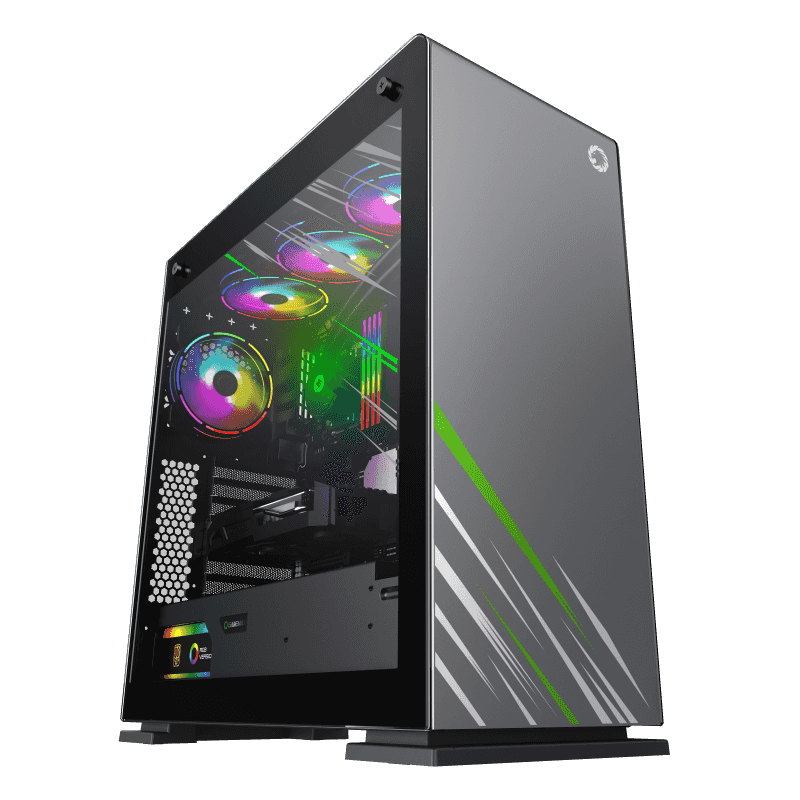
Case specifications list GPU clearance as the maximum length of graphics card that can be installed. The Vega Pro Grey supports cards up to 400mm, which accommodates any current consumer GPU with substantial room for cable routing behind the card.
Consider vertical GPU mounting as well. Many full tower cases include vertical GPU riser cables or mounting points. This orientation allows the graphics card's premium cooler design to face outward through the tempered glass panel, but it typically reduces the maximum supported GPU length.
CPU Cooler Height Clearance
Tower
air coolers with large fin stacks require substantial clearance above the motherboard. The specification to check is "CPU cooler height limit" — the maximum height of cooler that can be installed without interfering with the side panel.
Premium
air coolers like the Noctua NH-D15 measure 165mm in height. Most full tower cases support CPU coolers up to 175mm or more, providing headroom for even the tallest coolers. Check this specification if you're committed to a specific high-end air cooling solution.
For liquid cooling, radiator thickness matters in addition to radiator length. A 360mm radiator with 30mm thick fans may require 60mm or more of clearance in the mounting position. Full towers generally have the most flexible radiator mounting options, but always verify that your specific combination of radiator and fans fits in your chosen mounting position.
Airflow Design: Mesh vs. Solid Panels
The front panel design fundamentally determines a case's cooling potential. Two categories dominate the market.
Mesh front panels use fine perforated metal or fabric mesh to cover intake openings. Air passes through with minimal restriction, enabling high airflow at lower fan speeds. Lower fan speeds mean quieter operation while maintaining adequate cooling. Mesh panels also provide better dust filtration since the mesh itself acts as a pre-filter.
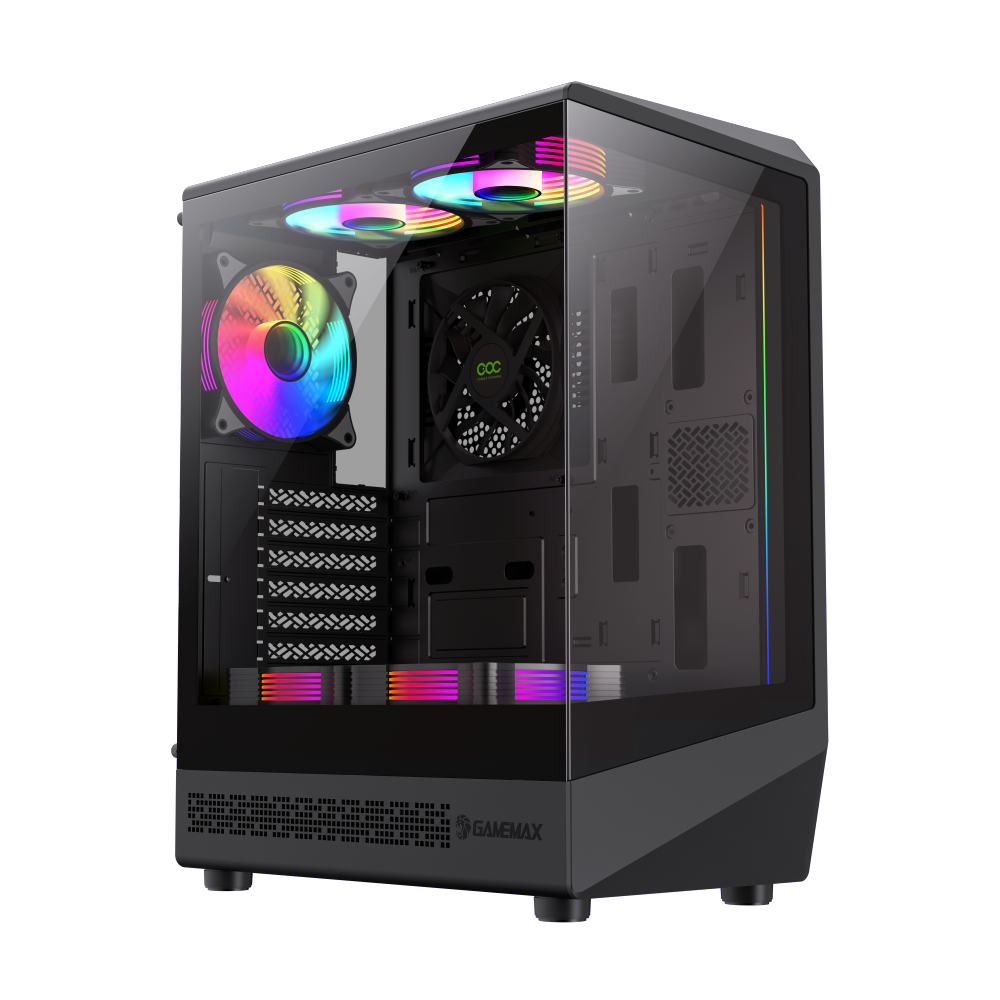
Solid front panels with ventilation grilles provide less airflow but can look cleaner in certain room environments. The Vista COC AB uses an acrylic panel design that balances visibility with ventilation. Solid panels tend to accumulate dust less visibly on the front, which some users prefer for aesthetic reasons.
For gaming builds with high-TDP CPUs and GPUs, mesh front panels provide meaningful cooling advantages. The improved airflow directly translates to lower component temperatures, potentially extending component lifespan and allowing higher sustained performance through better thermal headroom.
Fan and Radiator Mounting Positions
Full tower cases typically offer more mounting positions than smaller cases. Standard positions include front (intake), rear (exhaust), top (exhaust or radiator), and sometimes bottom (intake for GPU cooling).
The most important consideration is radiator support. If you plan to run a custom water cooling loop or large AIO cooler, verify that your case supports your radiator size in your preferred position. The Infinity BK supports 420mm radiators in the top position — larger than the 360mm standard — for users who want maximum cooling capacity.
Front-mounted 360mm radiators are supported by nearly all modern full tower cases. Top-mounted 360mm radiators are also standard. The ability to mount radiators in multiple positions simultaneously distinguishes premium full towers from more budget-oriented options.
Dust Filtration Systems
Dust accumulation inside a PC causes several problems: it insulates heat-generating components, can short circuit exposed circuits, and forces fans to work harder to maintain cooling, increasing noise levels. Quality dust filtration significantly reduces maintenance requirements.
The best cases include filters on all intake positions. The Vega Pro Grey includes magnetic filters on the front and bottom positions, removable without tools for regular cleaning. Filter mesh size matters — finer mesh catches more dust but restricts airflow more significantly.
Plan to clean filters every 4-8 weeks depending on your environment. Homes with pets, construction nearby, or carpeted floors accumulate dust faster. Document your filter cleaning schedule to maintain consistent system performance.
Cable Management Features
Clean cable routing improves airflow by eliminating cables blocking fan intake paths, simplifies troubleshooting by making components accessible, and looks significantly better when viewing the case's interior through tempered glass panels.
Key specifications to evaluate include the clearance behind the motherboard tray, the number and size of cable routing grommets, and the presence of Velcro straps or other retention mechanisms. The Vega Pro Grey provides 28mm of clearance and includes pre-installed Velcro straps — these features make achieving clean routing straightforward even for first-time builders.
Consider where your front panel connectors, rear I/O, and side panel cables need to route. Premium cases include dedicated routing channels that guide cables to their destinations without requiring you to discover the correct path through trial and error.
Storage Drive Compatibility
Modern storage builds typically use M.2 NVMe SSDs mounted directly on the motherboard, eliminating the need for drive bays entirely. However, traditional hard drives and 2.5-inch SATA SSDs still require mounting positions.
If you're building a NAS, video editing workstation, or file server, storage capacity becomes a primary consideration. Full tower cases typically include 4-8 drive bays for 3.5-inch hard drives plus additional 2.5-inch positions for SSDs.
The Vista COC AB provides multiple 2.5-inch mounting positions, accommodating modern storage configurations while supporting the 3.5-inch drives that capacity-focused builds require.
Our Top Picks
![Vega Pro Grey]()
Vega Pro Grey full tower with 400mm GPU clearance, 175mm CPU cooler height limit, and support for 360mm radiators in both front and top positions. Excellent cable management with 28mm tray clearance and pre-installed Velcro straps. Best all-around choice for demanding builds.
![Vista COC AB]()
Vista COC AB with triple 120mm fan support and EATX compatibility. Enhanced cooling pre-installation reduces first-build complexity. Strong value proposition for users who want premium features without flagship pricing.
Take time to evaluate your specific requirements before purchasing. A case that serves a compact gaming build well may disappoint in a workstation configuration, and vice versa. The specifications reviewed here provide the framework for making that evaluation systematically.