

Full Tower PC Case: The Ultimate Guide for 2025 - Building a PC can seem intimidating at first, but with the right guidance and proper preparation, anyone can successfully assemble their own computer. This comprehensive guide walks you through every step of the process, from selecting components to troubleshooting common issues.
Before starting your build, ensure you have all necessary components and tools ready. A clean, well-lit workspace with adequate static protection is essential. Gather your motherboard, CPU, RAM, storage, power supply, graphics card, and of course, your new PC case.
Start by installing the power supply, then prepare the motherboard with CPU, RAM, and M.2 drives outside the case. Install the I/O shield if separate, then mount the motherboard. Add storage drives, connect case fans and front panel connectors, install the graphics card, and finally connect all power cables.
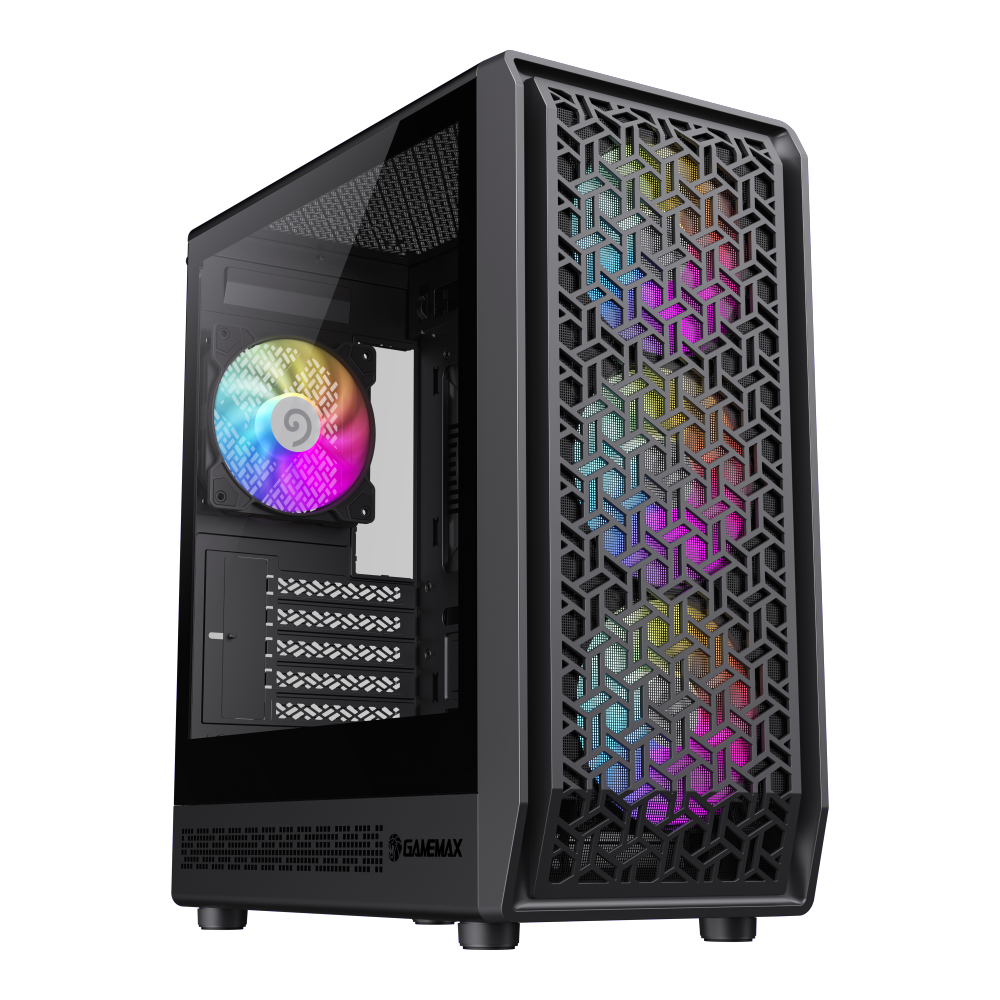
Forge COC a gaming mATX PC case with lighting, 4 pre-installed ARGB fans, and a patented COC (Cooling and Overclocking Architecture) system that ensur...
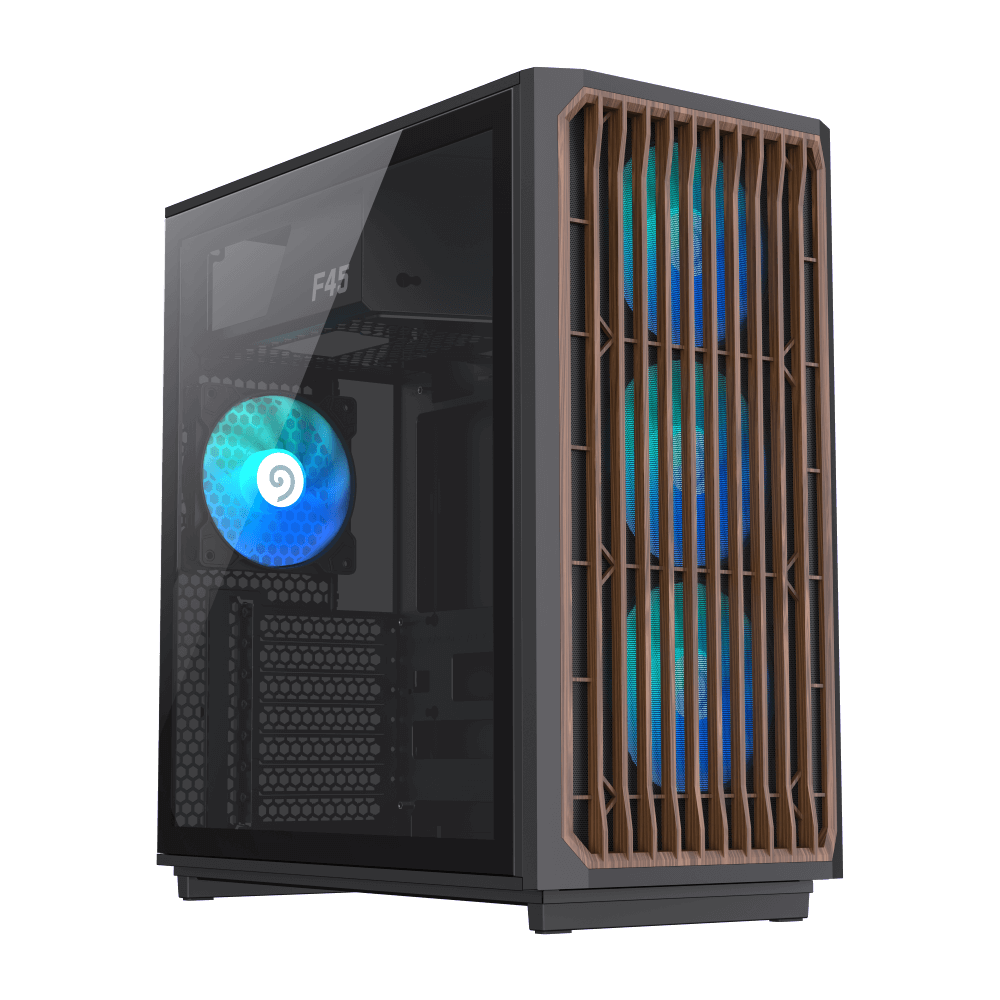
GameMax F45 BW ATX Gaming PC Case, a great looking, airflow oriented, easy to install premium computer case with a heavy duty steel metal frame and 4....
New builders often make several common mistakes: forgetting to install the I/O shield, not connecting the CPU power cable, installing RAM in wrong slots, and improper cable management. Taking time to read your motherboard manual can prevent most of these issues.
If your system doesn't power on, check all power connections, ensure the PSU switch is on, and verify RAM is properly seated. For boot issues, try reseating components one at a time. Most problems have simple solutions.
Building your own PC is a rewarding experience that gives you complete control over component selection and customization. Follow this guide carefully, take your time, and don't hesitate to consult manufacturer documentation when needed.

