

There is something undeniably appealing about a white PC case. Against the sea of black boxes that dominate most desk setups, a white build stands out immediately. It looks cleaner, more intentional, and more refined. The white aesthetic pairs beautifully with RGB lighting, creating a soft glow that feels sophisticated rather than garish. Whether you are building a professional workstation that needs to look the part or a gaming rig that doubles as a centerpiece, a white full tower case provides the canvas for a build that turns heads. This guide explores what makes a white full tower case worth choosing and how to execute a clean, minimalist build that maximizes the visual impact of every component.
White cases have gained enormous popularity in recent years, and for good reason. The color white reflects light rather than absorbing it, which means internal components are more visible through tempered glass panels. In a black case, components tend to disappear into the shadows. In a white case, every detail stands out: the circuitry on the motherboard, the fins on the CPU cooler, the LEDs on the RAM sticks. This visibility is particularly valuable when you have invested in components with attractive designs or custom water cooling loops that deserve to be seen.
White also creates a sense of space and openness. A white interior feels larger and less cluttered than a black one, even when the same components are installed. This perceptual effect makes cable management errors and messy routing more obvious, which is actually a benefit for minimalist builders. The visibility forces you to keep things tidy, and the result is a build that looks polished from every angle.
Not all white cases are created equal. The shade of white varies significantly between manufacturers, and some cases that are marketed as white are actually off-white, pearl, or silver. If you are coordinating multiple white components from different brands, slight color mismatches can be noticeable under certain lighting conditions. Look for cases described as pure white or arctic white if you want the brightest, cleanest appearance. Matte white finishes tend to look more refined and professional, while glossy white finishes can look striking but show fingerprints and dust more readily.
The interior paint matters as much as the exterior. A white exterior with a black interior defeats the purpose of the build, because most of what you see through the glass side panel is the interior. The best white full tower cases paint both the exterior and interior surfaces white, including the motherboard tray, the PSU shroud, and the drive cages. This creates a cohesive look where the white environment wraps around your components.
The single biggest factor in achieving a clean, minimalist look is cable management. White cases make cables more visible, so sloppy routing is immediately obvious. Plan your cable paths before you start installing components, and use the cable management features behind the motherboard tray to their full potential.
Full tower cases have an advantage here because they offer more routing channels, more tie-down points, and more space behind the tray for bundling cables. Use Velcro ties instead of zip ties so you can adjust routing as you go. Route cables in logical groups: motherboard power in one channel, GPU power in another, fan cables in a third. Keep each group separate and parallel, avoiding the tangled nest that ruins the aesthetic of an otherwise careful build.
If your power supply has a white housing, position it so the label faces the glass panel. If your PSU is black, use a PSU shroud to hide it entirely. Many white full tower cases include a white PSU shroud that blends seamlessly with the rest of the interior, completely concealing the power supply and its cables from view.
Building in a white case is an opportunity to extend the white theme to your components. Many manufacturers now offer white variants of popular motherboards, graphics cards, RAM kits, and CPU coolers. A white motherboard on a white tray with white RAM sticks creates a cohesive, magazine-spread look that is difficult to achieve with a mix of black and white components.
If you cannot find white versions of every component, prioritize the most visible ones. The motherboard and RAM are the most prominent components visible through the side panel, followed by the graphics card and CPU cooler. A white motherboard and RAM with a black GPU is a common compromise that still looks intentional and coordinated. Add white extension cables for the GPU power to maintain the white theme in the most visible area of the build.
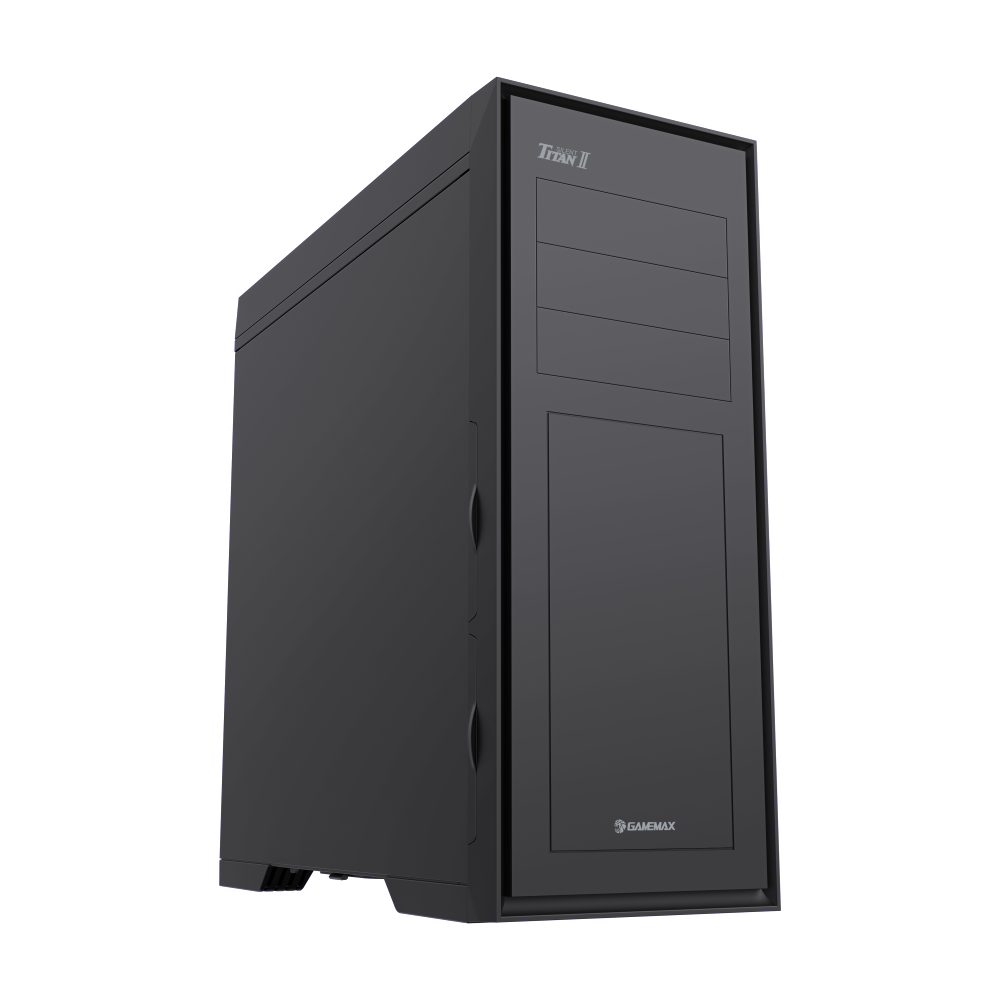
The GameMax Titan Silent 2 full tower case combines sound-dampening foam panels with a spacious interior that supports E-ATX motherboards and custom water cooling. Available in a clean white finish, it is designed for builders who want a silent, powerful system without the visual noise of typical gaming cases. The front panel features sound-absorbing material while side panels include noise-blocking foam layers.
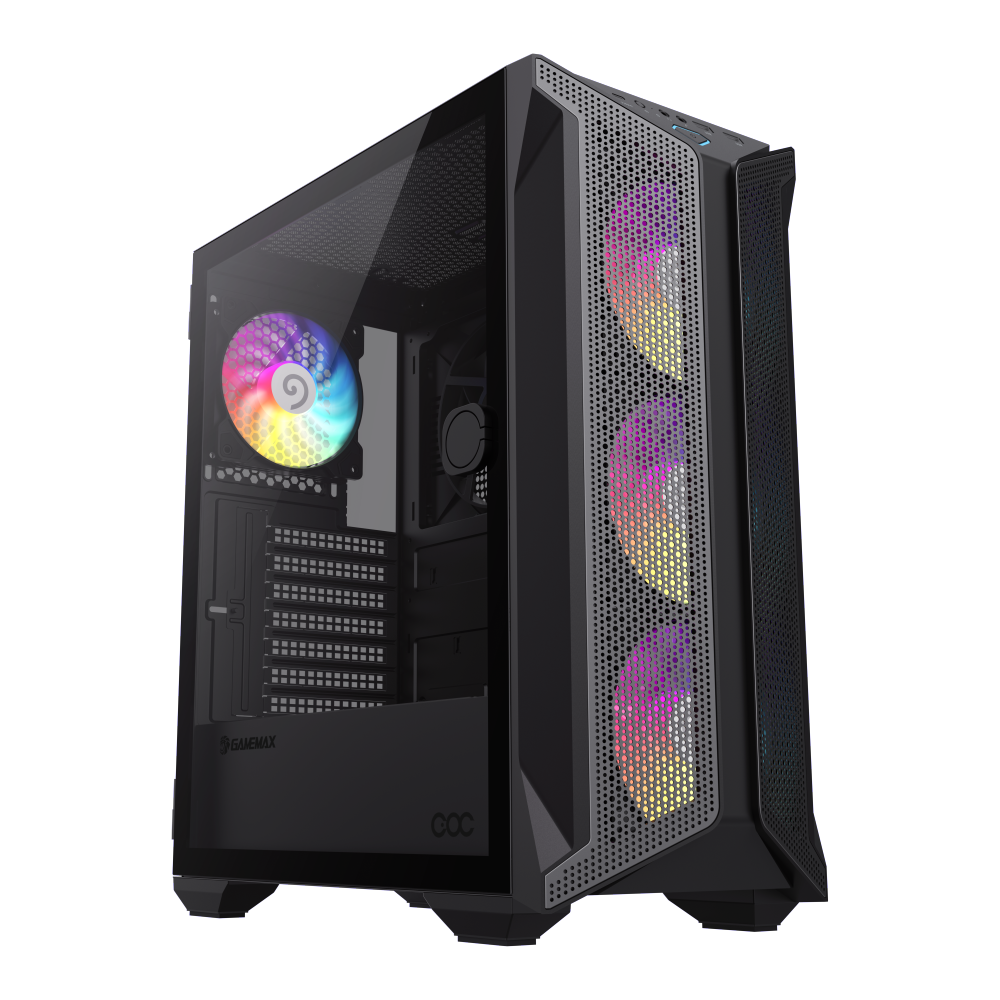
The GameMax Brufen COC is a full tower case with EATX support and a distinctive design that looks striking in a white-themed build. Its open interior layout provides generous space for cable routing and component installation. The tempered glass side panel showcases internal components while the case frame supports multiple radiator configurations for builders who want both style and thermal performance.
White cases and RGB lighting are a natural combination. The white surfaces diffuse and reflect RGB light, creating a soft ambient glow rather than the harsh, directional beams you get inside black cases. This diffusion effect makes RGB lighting in a white case look more elegant and less aggressive, which aligns perfectly with the minimalist aesthetic.
For a truly clean look, use a single color scheme rather than the rainbow cycling mode. Cool white, soft blue, and warm amber are particularly effective in white cases. Set your components to the same color temperature for a unified look, or use complementary colors for subtle contrast. Avoid placing RGB strips where they are directly visible through the glass; instead, position them behind the motherboard tray or under the PSU shroud where their light is reflected by the white surfaces before reaching the glass.
One practical concern with white cases is that dust is more visible on white surfaces than on black ones. This is both a disadvantage and an advantage. The disadvantage is obvious: you see the dust more quickly. The advantage is that you are motivated to clean more frequently, which keeps your components running cooler and extends their lifespan. Choose a case with removable dust filters on all intake positions, and clean the filters every two to four weeks depending on your environment.
Magnetic dust filters are the most convenient type, because you can remove and replace them without tools. Mesh filters catch more dust but restrict airflow slightly, while finer filters let more air through but need cleaning more often. Find the balance that works for your environment and your tolerance for cleaning frequency.
Tempered glass side panels are standard on modern full tower cases, and they are essential for showcasing a white build. Look for cases with tinted glass rather than clear glass if you want to soften the view slightly and hide minor imperfections in cable routing. Dark-tinted glass creates a sophisticated contrast with the white interior, while light-tinted or clear glass provides maximum visibility for meticulously clean builds.
Some cases offer dual-tempered-glass panels on both sides, which lets you show off the cable management behind the motherboard tray. If you have invested time in making your cable routing look perfect, a dual-glass case doubles the visual impact of your work. If your cable management is more functional than beautiful, stick with a single-glass configuration on the component side.
A well-executed white build ages gracefully. Unlike builds that rely on trendy RGB patterns or aggressive styling, a clean white aesthetic with coordinated components looks just as good five years from now as it does today. Invest in quality components that you will not feel the need to replace every generation, and build with a layout that makes future upgrades straightforward. The right white full tower case gives you the foundation for a system that remains a visual centerpiece long after the individual components have been superseded by newer models.

