

Water cooling has become the gold standard for high-performance PC builds, offering superior thermal dissipation compared to air cooling solutions. For enthusiasts running Intel Core i9 processors, AMD Ryzen 9 series, or overclocked GPUs, a Full Tower PC case that supports large radiators—particularly 360mm and 420mm units—is not just a luxury; it's a necessity.
In this comprehensive guide, we'll explore why Full Tower cases are the ideal platform for water cooling, what radiator sizes mean for your build, and review the top Full Tower cases that excel at accommodating large radiators for optimal thermal performance.
Before diving into specific cases, it's essential to understand radiator sizing conventions in the water cooling ecosystem:
For Full Tower cases, the focus is typically on 360mm, 420mm, and occasionally 480mm radiators. These larger units provide the thermal mass necessary to handle high TDP processors and heat-generating GPUs without excessive fan speeds (and noise).
Full Tower chassis offer several advantages that make them uniquely suited for water cooling with large radiators:
Full Tower cases typically provide 60-80 liters of internal volume, compared to 40-50 liters for Mid Tower cases. This extra space allows for:
Quality Full Tower cases include multiple mounting points:
Full Tower cases can maintain positive air pressure more easily, preventing dust accumulation while ensuring cool air reaches radiators. Mesh front panels, ventilated top covers, and rear exhaust fans create efficient airflow paths that complement water cooling loops.
E-ATX motherboards, which are common in high-end builds, often require Full Tower cases. These motherboards may feature multiple CPU power connectors, additional DIMM slots, and enhanced VRMs—all of which benefit from the enhanced cooling capacity of large radiators.
When shopping for a Full Tower case for water cooling, prioritize these features:
Don't just look at "supports 360mm radiator"—check the exact clearances:
Manufacturers sometimes advertise maximum radiator size but don't mention thickness limitations. A 360mm radiator that's 30mm thick fits differently than a 60mm thick unit.
For water cooling, mesh front panels are preferable as they allow unrestricted airflow to front-mounted radiators. Brushed aluminum or tempered glass fronts, while aesthetically pleasing, can restrict airflow unless they include dedicated ventilation channels.
Look for:
Water cooling adds tubing to the mix, so cable management becomes even more critical. Full Tower cases with 25mm+ clearance behind the motherboard tray, rubber grommets, and Velcro straps make the build process significantly easier.
Water cooling loops are expensive investments. Quality dust filters on all intake fans (including radiator fans) protect your components and reduce maintenance frequency. Look for magnetic or slide-out filters for easy cleaning.
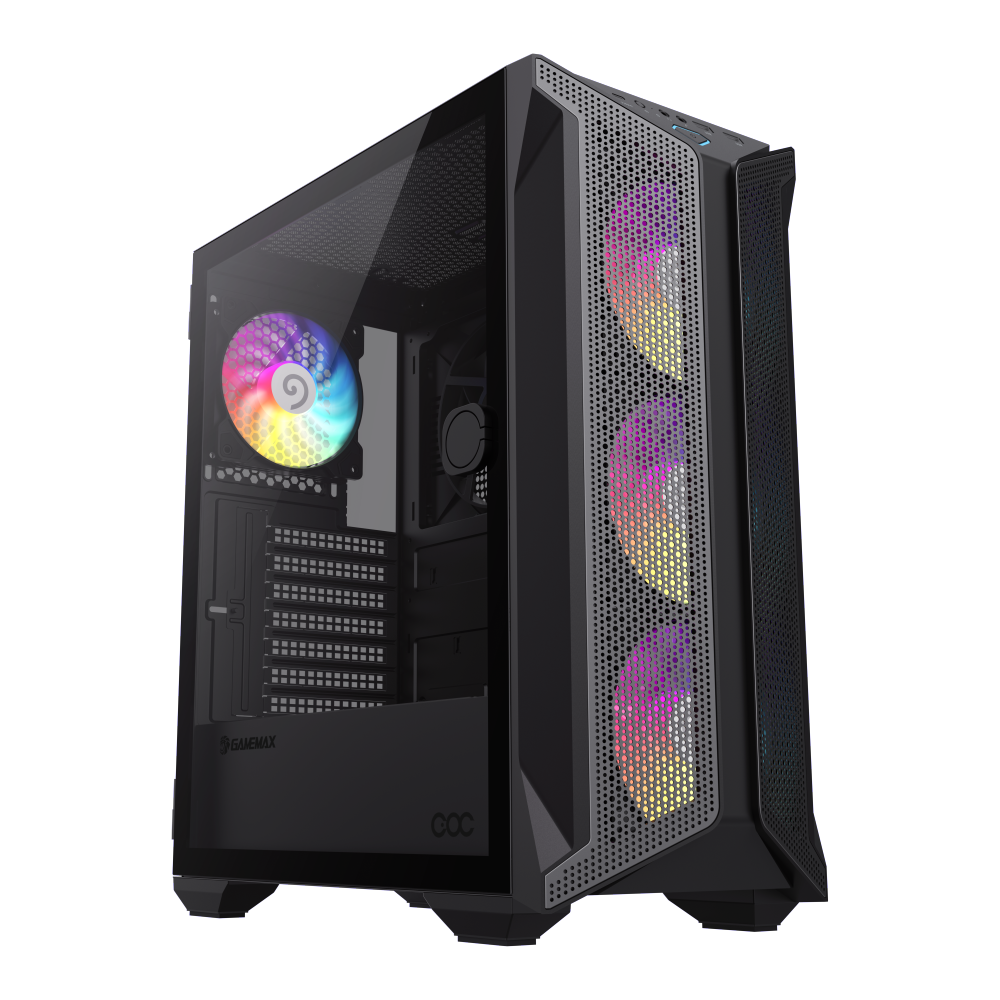
Brufen COC Mid Tower Gaming PC Case with ARGB Fans, Powerful Cooling, and Water Cooling Support.• Hinged Glass Panel: Easy-open 3mm tempered glass sid
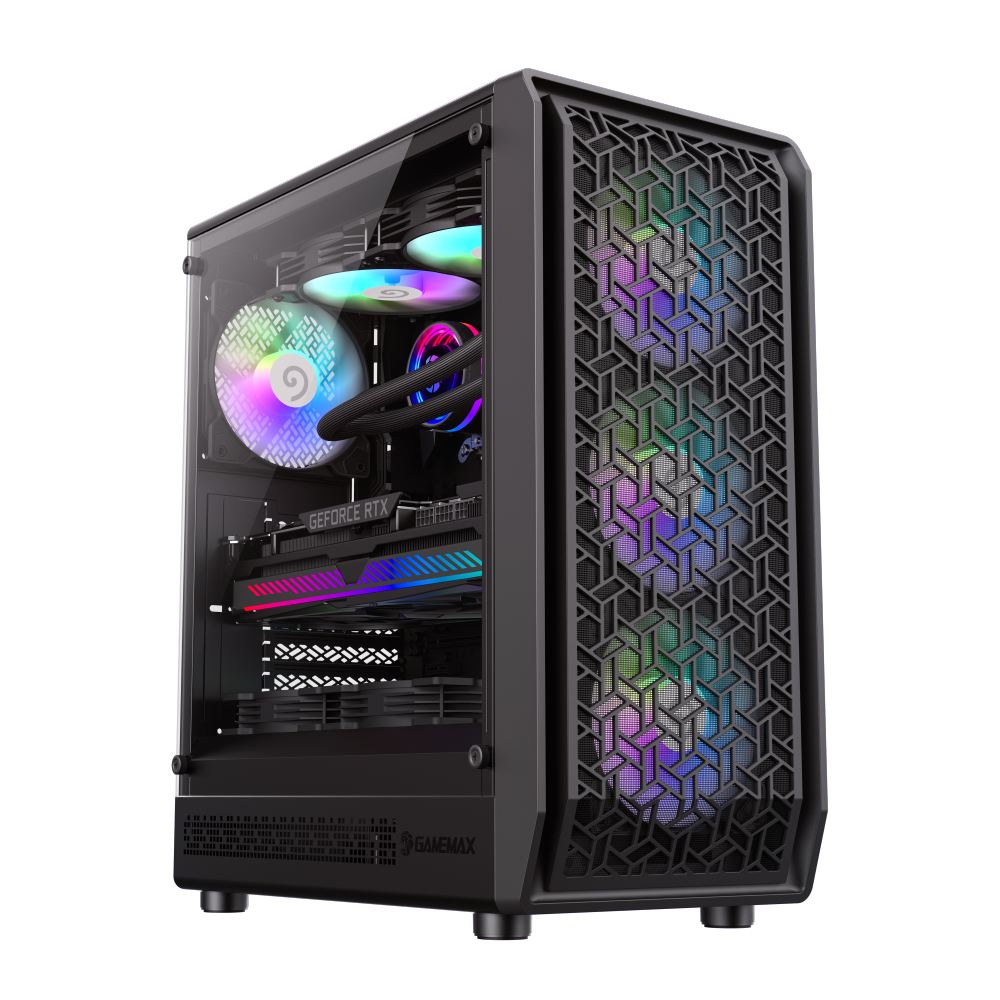
Forge AB Premium Mid Tower ATX PC Case by GameMax:• Unique Airflow & Cooling: Forge AB Premium features a unique airflow design with 6 ARGB fans and 3
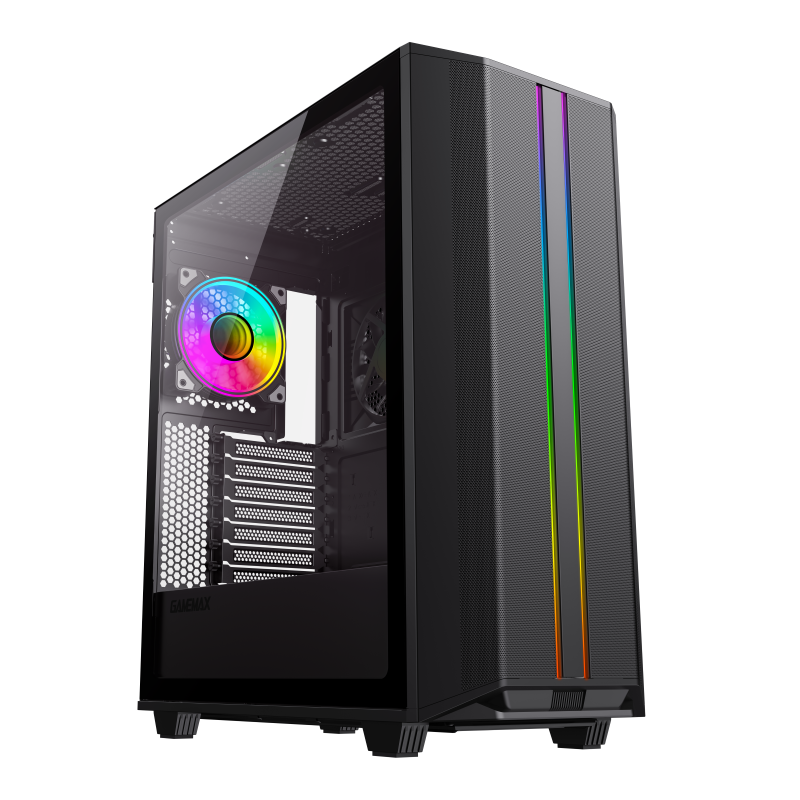
Precision 2 mid-tower gaming chassis with argb fans, excellent performance, Type-C ready, The upgraded detachable top plate solves the common problems
Once you've selected your Full Tower case, planning the loop configuration is crucial:
Single Loop: CPU and GPU in one loop. Simpler to build, but GPU heat affects CPU temperatures and vice versa. Ideal for moderately overclocked systems.
Dual Loop: Separate CPU and GPU loops. Maximum thermal isolation but requires more radiators, pumps, and reservoirs. Full Tower cases are often the only chassis with enough space for dual loops with large radiators.
Soft Tubing: Easier for beginners, more forgiving with measurements. PVC or EPDM tubing with barbed or compression fittings.
Hard Tubing: Acrylic or PETG tubing for a professional look. Requires more planning, cutting, and bending tools, but the result is stunning in a showcase Full Tower case.
While not directly related to the case, coolant selection affects maintenance:
Water cooling systems in Full Tower cases require periodic maintenance:
Full Tower cases make maintenance easier with accessible components and spacious interiors that don't require complete disassembly for routine tasks.
Full Tower PC cases remain the premier choice for water cooling enthusiasts who demand the best thermal performance for their high-end components. With support for 360mm, 420mm, and even 480mm radiators, these spacious chassis provide the foundation for incredible cooling performance.
When selecting your Full Tower case for water cooling, prioritize radiator clearance (including thickness), mounting flexibility, and airflow optimization. The cases we've highlighted offer excellent radiator support and the build quality needed for long-term water cooling reliability.
Remember: a well-planned water cooling loop in a capable Full Tower case doesn't just lower temperatures—it transforms your PC into a showpiece of engineering excellence. Take your time, plan carefully, and enjoy the journey of building a water-cooled masterpiece.
Whether you're cooling a single overclocked CPU or a dual-loop monster with multiple GPUs, the Full Tower form factor gives you the space and flexibility to realize your vision. Happy building!

