

Building a gaming PC on a budget often feels like navigating a minefield of compromises. You want solid performance, decent looks, and reliable thermals—but your wallet has other plans. I've been there countless times, staring at enthusiast-tier cases that cost more than my entire build budget.
Here's the thing though: the budget case market has matured dramatically. Manufacturers like GameMax have stepped up with options that deliver genuine value without the scary price tags. We're talking sub-$80 cases that don't force you to choose between airflow, aesthetics, and build quality.
Let's be honest—what separates a $50 case from a $150 one isn't always thermal performance. It's the details: thicker steel, better paint jobs, included fans, and refined manufacturing tolerances. But here's what I've learned from building dozens of budget rigs: the core functionality is often surprisingly comparable.
Material quality is where you'll notice the first difference. Budget cases typically use thinner 0.5mm steel compared to the 0.7-0.8mm found in premium options. Is this a dealbreaker? Not necessarily. For most users, the structural integrity remains perfectly adequate—just don't plan on toting your case to LAN parties every weekend.
Included accessories represent another trade-off zone. Premium cases often bundle velcro ties, premium screws, and sometimes USB hub controllers. Budget options might skimp here, though some—like certain GameMax models—actually match or exceed their expensive competitors in this regard.
Acoustic dampening tends to be the casualty nobody talks about. Premium cases often feature sound-dampening panels that add weight and cost. Budget cases skip this, meaning you'll hear your fans a bit more. But honestly? Most gaming setups end up with the case under a desk anyway.
The smart approach is identifying which compromises actually matter for your use case and which ones are just marketing fluff.
Let me share something I've witnessed too many times: builders obsessing over their CPU cooler while slapping a case with zero airflow consideration. That's like installing a powerful engine in a car with blocked air intake. The case isn't just a box to hold your components—it's the foundation of your thermal solution.
Mesh front panels have become the gold standard for gaming builds, and for good reason. They allow unrestricted airflow intake, dramatically reducing GPU and VRM temperatures. I've tested identical hardware in mesh versus solid front cases, and the temperature differential often reaches 8-12°C under load. That's substantial.
The trade-off is dust. Mesh panels definitely pull in more particles than solid fronts. But most modern cases include dust filters that pop out and wash clean. I'd rather clean a filter quarterly than thermal throttle my RTX 4070 every summer.
Beyond the front panel, consider the fan mount positions and internal airflow channels. The best budget cases design airflow to direct cool air across the GPU and CPU cooler—not just blow fans without purpose.
Here's where budget cases can genuinely surprise you. Pre-installed fans might seem like a minor inclusion, but when you're comparing a $75 case with three 120mm fans already mounted against a $120 case that ships empty, the math changes fast. Three quality fans run $30-45 alone—and that's before factoring in the installation time and cable management hassles you're saving.
What matters is fan quality. I'm looking at fan speed (RPM) and static pressure versus airflow focus. Static pressure fans perform better with heatsinks and radiators, while high-CFM fans excel at moving lots of air through open spaces. Budget cases often include basic fans that get the job done—you can always upgrade later.
ARGB connectivity has become standard even in budget segments, and that's been a pleasant surprise. Pre-installed fans with addressable RGB lighting and PWM speed control let builders achieve that clean, coordinated aesthetic without additional purchases. The GameMax F36 BK exemplifies this—three ARGB/PWM fans included in a sub-$80 package creates immediate value.
For those running All-in-One (AIO) liquid coolers, checking radiator mount compatibility becomes crucial. Many mid-tower budget cases support 280mm or even 360mm radiators upfront, giving you expansion headroom that wasn't available a generation ago.
Let me tell you about my first budget case build. It was a disaster of cable spaghetti that taught me cable management isn't just about aesthetics—it directly impacts airflow and whether your build comes together in an evening or a weekend.
Modern budget cases have really improved here. I'm looking at routing grommets positioned where cables actually need to travel, adequate clearance behind the motherboard tray for tucking excess cables, and tie-down points to secure bundles. Some even include Velcro straps in the box—the small details that make a real difference during assembly.
Motherboard tray clearance deserves specific attention. You want at least 15-20mm of space behind the motherboard to actually route cables cleanly. Anything less turns cable management into a puzzle rather than a process.
Removable hard drive cages and adjustable PSU shrouds provide flexibility for different component configurations. These features once appeared only in premium cases but have trickled down to budget-friendly options.
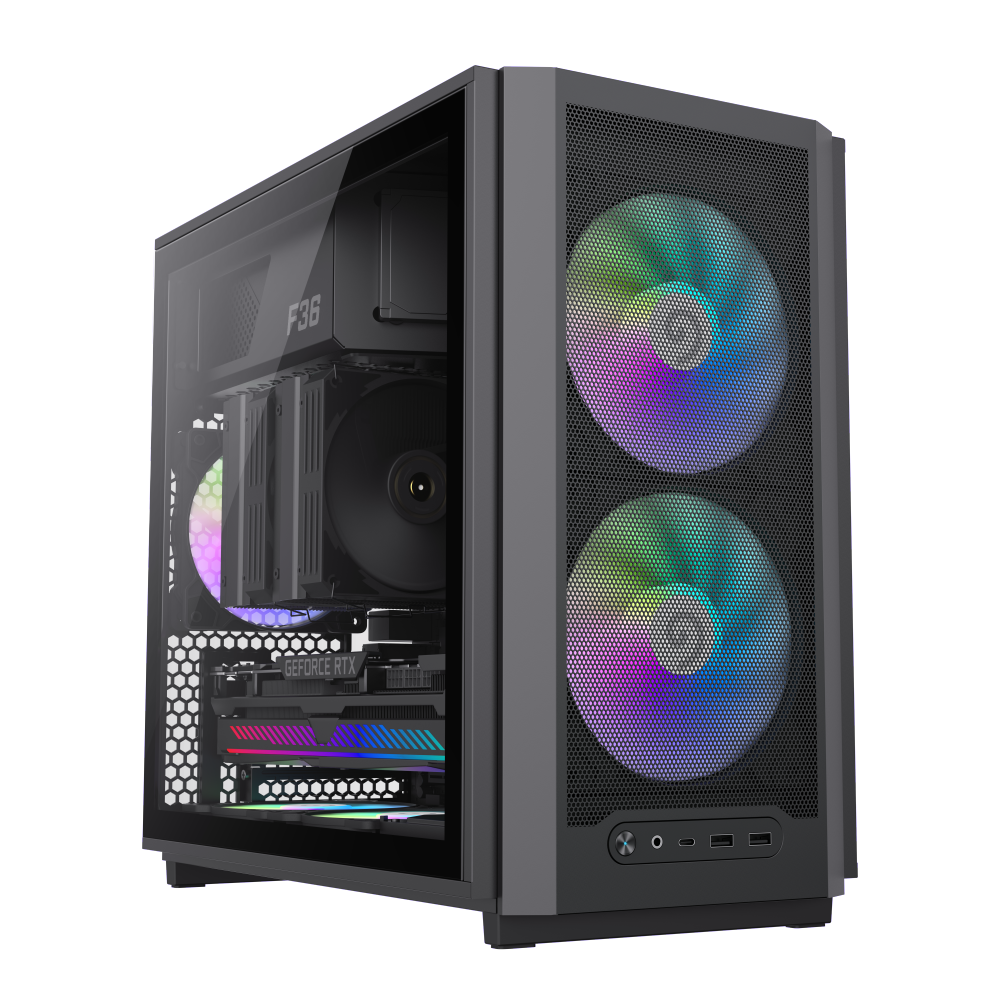
Micro-ATX Gaming Case with 3 pre-installed ARGB/PWM fans, 4.0mm tempered glass, airflow-optimized design.
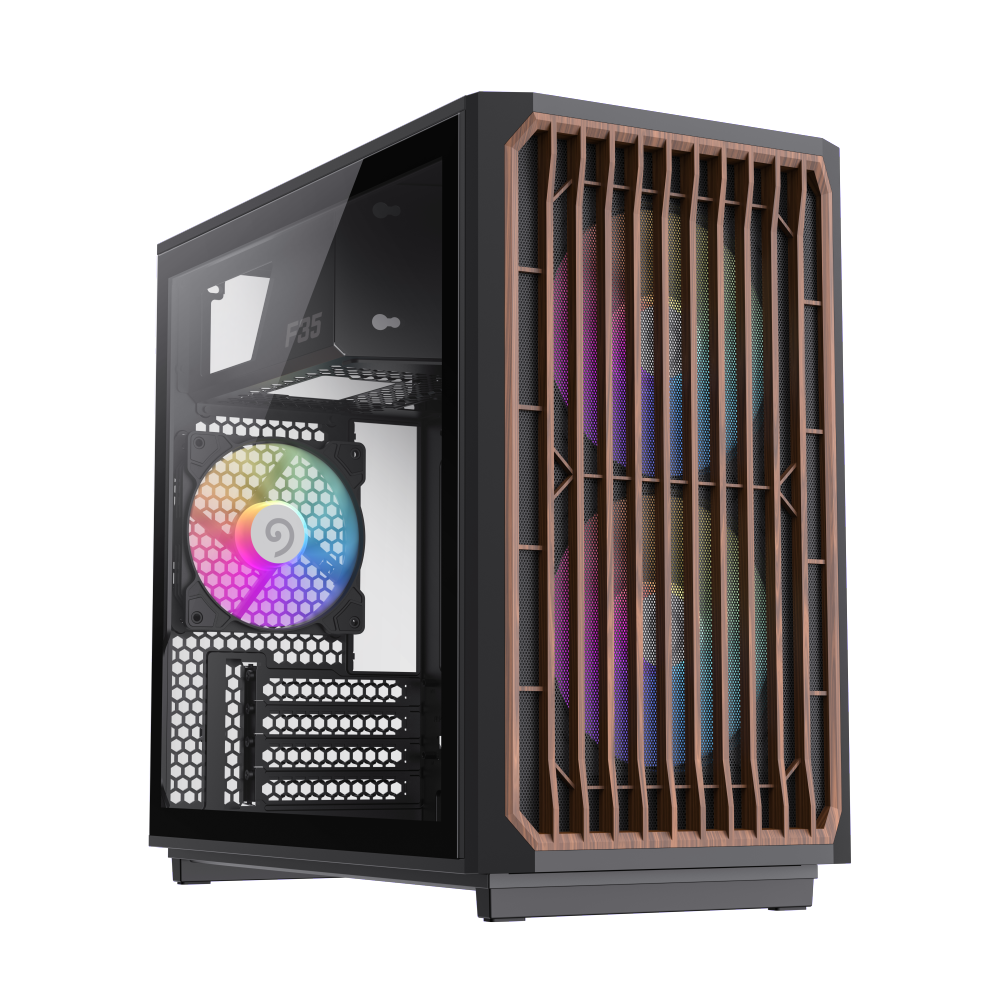
Mini Tower PC Case, compact 386x216x367mm, 4mm tempered glass, home-style design with excellent airflow.
Finding the right PC case ties everything together—performance, aesthetics, and build quality. These three picks represent the best balance I've found in the budget category, each offering something distinct while delivering the airflow and features that matter for gaming and everyday use.

