

In the use of large - capacity storage devices, 8T HDD, with its huge storage space, has become the first choice for many users to store important data and back up files. However, many users will encounter the situation that 8T HDD suddenly stops working during use, which not only affects the normal access to data but also may bring the risk of data loss. Among them, insufficient power supply is one of the common reasons for 8T HDD not working. This article will comprehensively analyze the problem of insufficient power supply for 8T HDD and provide detailed troubleshooting methods and solutions.
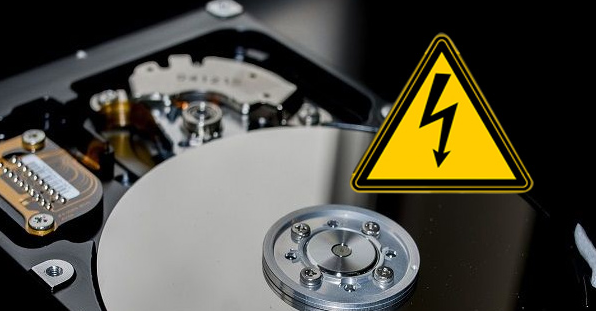
8T HDD is a large - capacity hard disk with a relatively complex internal structure, which needs stable and sufficient power support during operation. Compared with small - capacity hard disks, the motor, head assembly and other components of 8T HDD have higher power consumption when working. At the moment of startup, 8T HDD needs a large current to drive the motor to run. If the power supply can not meet this instantaneous demand, it may cause the hard disk to fail to start normally. In addition, when continuously reading and writing a large amount of data, the power consumption of 8T HDD will also remain at a high level. Long - term insufficient power supply will make it frequently appear stuck, interrupted or even stop working.
When 8T HDD has insufficient power supply, there will be many obvious manifestations, and users can preliminarily judge whether it is a power supply problem through these symptoms:
The hard disk cannot be recognized by the computer, and the corresponding hard disk information cannot be found in the device manager.
The hard disk suddenly stops responding during operation, and the computer gets stuck or crashes.
The hard disk makes abnormal sounds, such as intermittent "clicking" sounds, which is because the unstable power supply causes the head to fail to work normally.
When the computer is turned on, the hard disk cannot start normally, and the hard disk cannot be detected in the BIOS.
If you suspect that 8T HDD is not working due to insufficient power supply, you can troubleshoot according to the following steps:
Check the power interface: First, check whether the power interface of the hard disk is loose or in poor contact. After unplugging the power interface, plug it back in and ensure a firm connection. At the same time, check whether the interface is damaged, oxidized, etc. If so, it needs to be cleaned or replaced in time.
Test the power output: Use tools such as a multimeter to detect whether the voltage supplied by the power supply to the hard disk is within the normal range. 8T HDD usually needs 12V and 5V voltage supply. If the voltage is lower than the standard value, there may be a problem with the power supply.
Try replacing the power supply: If there is a spare power supply, you can replace it on the computer and observe whether 8T HDD can work normally. If the hard disk returns to normal after replacing the power supply, it indicates that the original power supply has the problem of insufficient power supply.
Troubleshoot the impact of external devices: If 8T HDD is used externally, check whether multiple high - power external devices are connected at the same time. These devices may shunt the power supply, resulting in insufficient power supply for the hard disk. You can try to disconnect other external devices and connect 8T HDD alone to see if it can work normally.
For the problem of insufficient power supply found through troubleshooting, the following solutions can be taken:
Replace with a high - power power supply: If the original power supply is insufficient and cannot meet the power supply demand of 8T HDD, it is recommended to replace it with a more powerful and reliable power supply. When choosing a power supply, pay attention to whether its rated power can support the power consumption of all hardware of the computer, including 8T HDD.
Use an independent power interface: Some power interfaces on the computer motherboard may have uneven power distribution. You can connect 8T HDD to an independent power interface to avoid sharing the same interface with other high - power devices.
External power adapter: For external 8T HDD, if it is powered through the USB interface, you can try to use a USB hub with an independent power supply or an external power adapter to provide stable additional power for the hard disk.
Check the power management settings: In the power management settings of the computer, check whether there are options to limit the power supply to the hard disk. Adjust it to the high - performance mode to ensure that the hard disk can get sufficient power supply.
In order to avoid 8T HDD from having insufficient power supply again in daily use, the following points should be noted:
Regularly maintain and inspect the power supply to ensure its good working condition and replace the aging power supply in time.
Avoid connecting too many high - power devices to the computer and reasonably allocate power resources.
When purchasing 8T HDD, choose products from regular brands with guaranteed quality, and match them with suitable power supply equipment.
When installing and using 8T HDD, ensure that the power interface is firmly connected to avoid loose interface due to vibration and other reasons.
In conclusion, when 8T HDD does not work, insufficient power supply is a problem that cannot be ignored. Through the troubleshooting methods and solutions introduced in this article, I believe you can quickly find the problem and solve it smoothly, so that 8T HDD can return to normal work and ensure the safe and stable access to data.

