

Wondering what type of RAM (Random Access Memory) is installed in your computer? Understanding the type, capacity, and specifications of your RAM not only helps you identify performance bottlenecks in your computer but also provides important references for hardware upgrades. Here is a practical guide to teach you how to quickly identify your RAM information:
Press Win + R, type msinfo32 and press Enter. In the pop-up "System Information" window, find "Installed Physical Memory (RAM)" to directly see the total capacity. However, specific types (such as DDR4 or DDR5) cannot be displayed here.
Press Ctrl + Shift + Esc to open Task Manager, switch to the "Performance" tab, click "Memory" on the left, and the right side will display the capacity of the RAM, slot usage, and "speed" (e.g., 3200 MHz). Some computers will also mark the type (e.g., DDR4) here.
If the system's built-in tools do not provide sufficient information, the following free software is recommended:
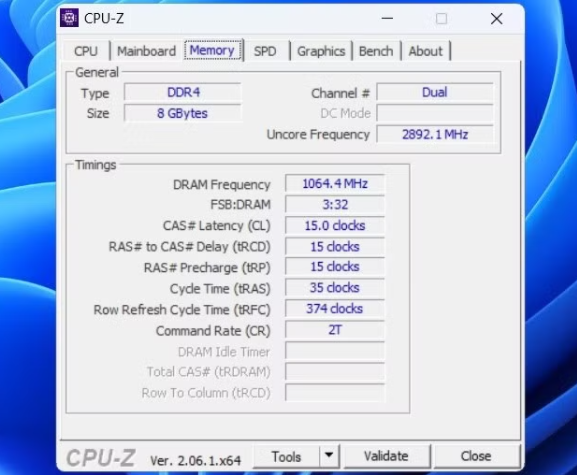
CPU-Z (most commonly used): After installation, switch to the "Memory" tab, where you can see core parameters such as "Type" (e.g., DDR5), "Channel" (e.g., dual-channel), and "Frequency".
Speccy: In the "RAM" section, it lists detailed information such as the memory brand, model, capacity, and voltage of each slot, which is suitable for matching specifications when upgrading is needed.
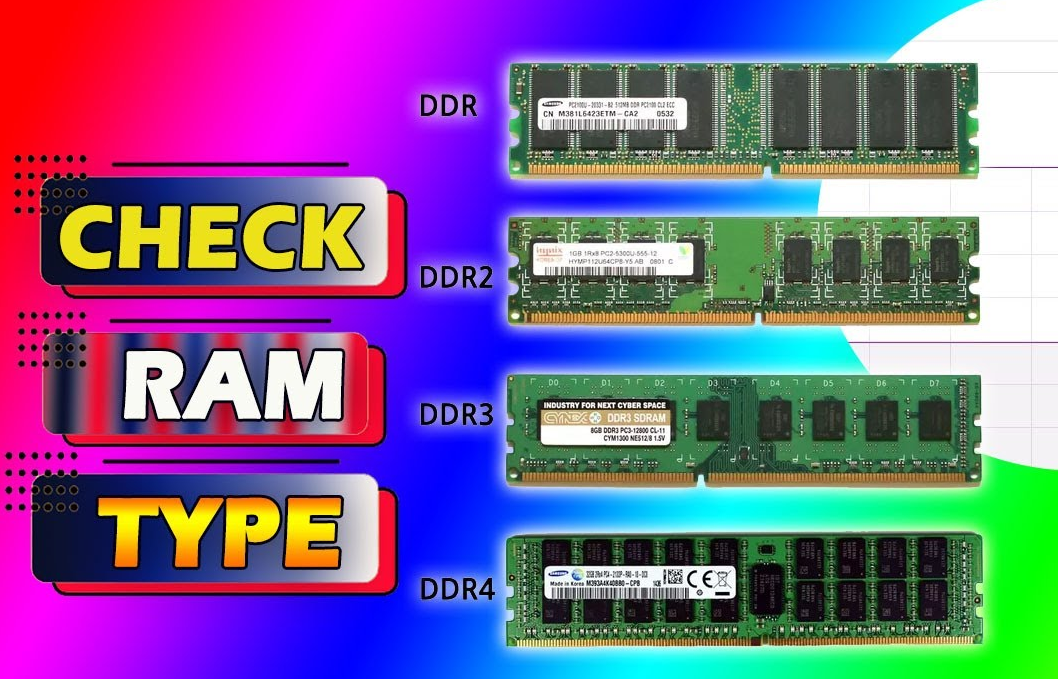
Currently, the mainstream RAM types are:
DDR4: Launched in 2014, with a voltage of 1.2V and common frequencies of 2133-3200 MHz. It is widely used in computers from 2015 to 2022 and has strong compatibility.
DDR5: Launched in 2020, with a voltage of 1.1V and a starting frequency of 4800 MHz. It supports higher bandwidth and has been the standard configuration for new computers since 2023. It is incompatible with DDR4 (different slots).
DDR3: An old model with a voltage of 1.5V and a maximum frequency of 1866 MHz. It is mostly found in devices before 2015 and has been gradually phased out.
Laptops: Mostly use SO-DIMM 规格 (miniaturized), and some thin and light laptops use soldered RAM (cannot be replaced).
Desktops: All use DIMM 规格 (larger in size), which can be freely upgraded with more flexible compatibility.
Through the above methods, you can easily grasp the type and specifications of your RAM. If you plan to upgrade, be sure to ensure that the new memory matches the original type, frequency, and voltage to avoid compatibility issues!

