

When your HDD is confirmed to have power supply issues and the power connections are already in good condition, the problem often lies in deeper hardware or system factors—especially for large-capacity HDDs, which typically have higher power demands. Here’s a targeted guide to resolve the "HDD not getting enough power" issue under such circumstances.
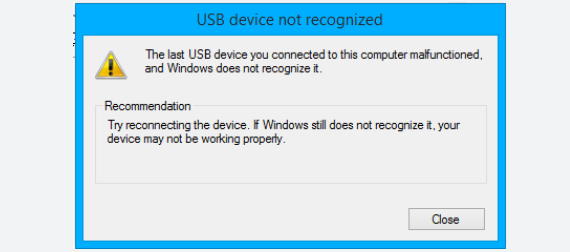
Large HDDs (e.g., 8TB and above) often require more power, especially during startup when their motors draw peak current. A PSU with insufficient total wattage or weak 12V rail output is the most common culprit for power shortages in systems with large HDDs.
Calculate power needs with large HDDs in mind: Standard 3.5-inch HDDs consume 6–9W during operation, but large-capacity models can spike to 12–15W at startup. If your system has multiple large HDDs (e.g., in a NAS or storage server), their combined peak power can easily overwhelm a low-wattage PSU. For example, four 10TB HDDs may draw up to 60W during simultaneous startup—adding this to other components (CPU, GPU, motherboard) can push total demand beyond a 400W PSU’s capacity.
Prioritize 12V rail strength: Large HDDs rely heavily on the PSU’s 12V rail for motor power. Even if the total PSU wattage seems adequate, a weak 12V rail (common in low-quality PSUs) can fail to deliver the steady current needed. Check the PSU’s specification label: a 12V rail with at least 20A current (240W) is recommended for systems with 2–4 large HDDs.
Large HDDs are designed to handle more data, but this often comes with higher mechanical stress—translating to greater power needs. Aging or faulty large HDDs may develop inefficient motor operation, increasing power draw beyond standard levels.
Check large HDD-specific specs: Manufacturers like Seagate and Western Digital provide detailed power charts for their high-capacity models. For instance, a 16TB HDD may list startup power at 1.2A on the 12V rail (14.4W) versus 0.8A (9.6W) for a 4TB model. Compare your HDD’s actual power draw (measured via tools like a power meter) to these specs—exceeding them indicates a potential hardware issue.
Monitor for startup failures: Large HDDs with insufficient power often fail to spin up properly, resulting in BIOS/UEFI not detecting the drive. This is because their motors can’t reach operating speed without enough initial current—a clear sign the PSU can’t meet peak demands.
When paired with large HDDs, power-hungry components like GPUs or multi-core CPUs can exacerbate supply issues. The combined peak load of these components often exceeds the PSU’s capacity, leaving large HDDs starved for power.
Manage concurrent power spikes: Large HDDs and GPUs both draw maximum power during startup (e.g., when booting the PC or launching a game). This "power surge" can overload the PSU. Mitigation steps include enabling staggered spin-up in BIOS (for HDDs) or upgrading to a PSU with a higher peak power rating (e.g., 800W+ for systems with a high-end GPU + 4+ large HDDs).
Check motherboard power delivery limits: Some older motherboards have SATA power ports that share a limited power budget. Connecting multiple large HDDs to the same SATA power chain can exceed this limit. Use separate SATA power cables from the PSU for each large HDD to avoid this bottleneck.
Large-capacity HDDs amplify power supply challenges due to their higher peak and sustained power demands. Resolving their power issues requires a focus on PSU 12V rail strength, total wattage headroom, and managing concurrent power spikes from other components. By upgrading to a robust PSU (80+ Gold certified, 600W+ for most setups with large HDDs) and distributing power loads strategically, you can ensure reliable operation of even the largest storage drives.

