

Walking into 2026, the PC case market feels more exciting than ever. After years of incremental improvements, manufacturers are finally delivering on the promise of better airflow, easier builds, and smarter designs that accommodate the latest hardware without requiring a engineering degree to install. Whether you're building your first gaming rig or upgrading from a case you've had since the GTX 1080 era, 2026's lineup has something genuinely worth your attention.
But here's the problem: sorting through dozens of options, each with its own marketing narrative, is exhausting. "Panoramic view," "COC cooling architecture," "tool-less design"—the jargon keeps piling up while you're just trying to figure out which case will actually keep your components cool and let you build cleanly. I've spent years building in these cases, and I'm going to cut through the noise with practical advice you can actually use.
The most significant shift in 2026 case design isn't flashy new features—it's the widespread adoption of standardized mounting systems that make building genuinely easier. Thumb screws are now universal, SSD mounting has been standardized across nearly every tier, and cable routing paths have matured to the point where even budget cases include thoughtful grommet placement.
Airflow philosophy has also matured. The aggressive mesh-front trend from previous years has settled into a more nuanced understanding: mesh isn't always better, and the best airflow depends on your specific hardware configuration. We're seeing more cases with modular front panels that let you choose between maximum airflow (mesh) and quieter operation (solid) depending on your needs.
The rise of ATX 3.0 and PCIe 5.0 has pushed case manufacturers to address power cable routing more seriously. The 12VHPWR connector needs more clearance than older PCIe power cables, and cases designed in 2025 and beyond account for this—cases from 2023-2024 sometimes leave you fighting with cable bend radius behind the motherboard.
Before diving into specific recommendations, let's talk about which features deserve your budget attention and which are marketing fluff:
GPU clearance is non-negotiable. If you're buying a new case in 2026, you need at least 380mm of clearance for modern high-end GPUs. The RTX 5090 and RX 9070 XT can exceed 350mm, and that's before cable routing eats into your space. Don't trust manufacturer specs blindly—add 20-30mm as a safety margin for real-world builds.
Motherboard form factor compatibility has become more important as E-ATX boards proliferate. A case that claims E-ATX support might fit the board but leave zero room for cable management or radiator mounting. Check the actual motherboard tray dimensions, not just the marketing claim.
Vertical GPU mounting has matured significantly. Cases that support it now include proper reinforced PCIe riser cables and thermal testing results. If you want to show off your GPU, vertical mounting in a 2026 case is genuinely viable—not the afterthought it was in earlier generations.
USB-C front panel headers have become standard even on budget cases. If your motherboard supports USB 3.2 Gen 2x2 (20Gbps), make sure your case has a USB-C header connector—some cases still only include USB-A headers even in 2026.
Every case seems to advertise 360mm radiator support in 2026, but not all 360mm support is created equal. The critical questions are: where can you mount the radiator, and does the mounting interfere with your motherboard components?
Top-mounted 360mm radiators are the most versatile, but you need to check if your motherboard's large VRM heatsinks or tall memory modules will conflict with the radiator or fan placement. Front-mounted radiators offer better cooling performance for GPUs but can restrict airflow to the graphics card if not properly managed.
My testing has consistently shown that a well-positioned 280mm radiator often outperforms a poorly positioned 360mm unit. Don't chase the number—chase the actual thermal performance in your specific configuration.
Modern cases have largely solved the worst build experience problems, but some annoyances persist:
Cable routing has become genuinely good even in mid-range cases. Most include Velcro straps, adequate grommet spacing, and 20-30mm of clearance behind the motherboard tray. The cases that still fail at this are typically the very cheapest models where manufacturing costs have forced compromises.
Tempered glass panels have become stronger and more scratch-resistant. The early worries about tempered glass shattering have largely faded as manufacturing processes improved. That said, always handle panels carefully and avoid overtightening the mounting screws—thermal expansion can cause stress fractures over time.
Drive mounting has standardized around tool-less mechanisms for 2.5" SSDs and tool-free thumbscrew mounting for 3.5" HDDs. The frustration of hunting for screws for every drive has largely disappeared from the market.
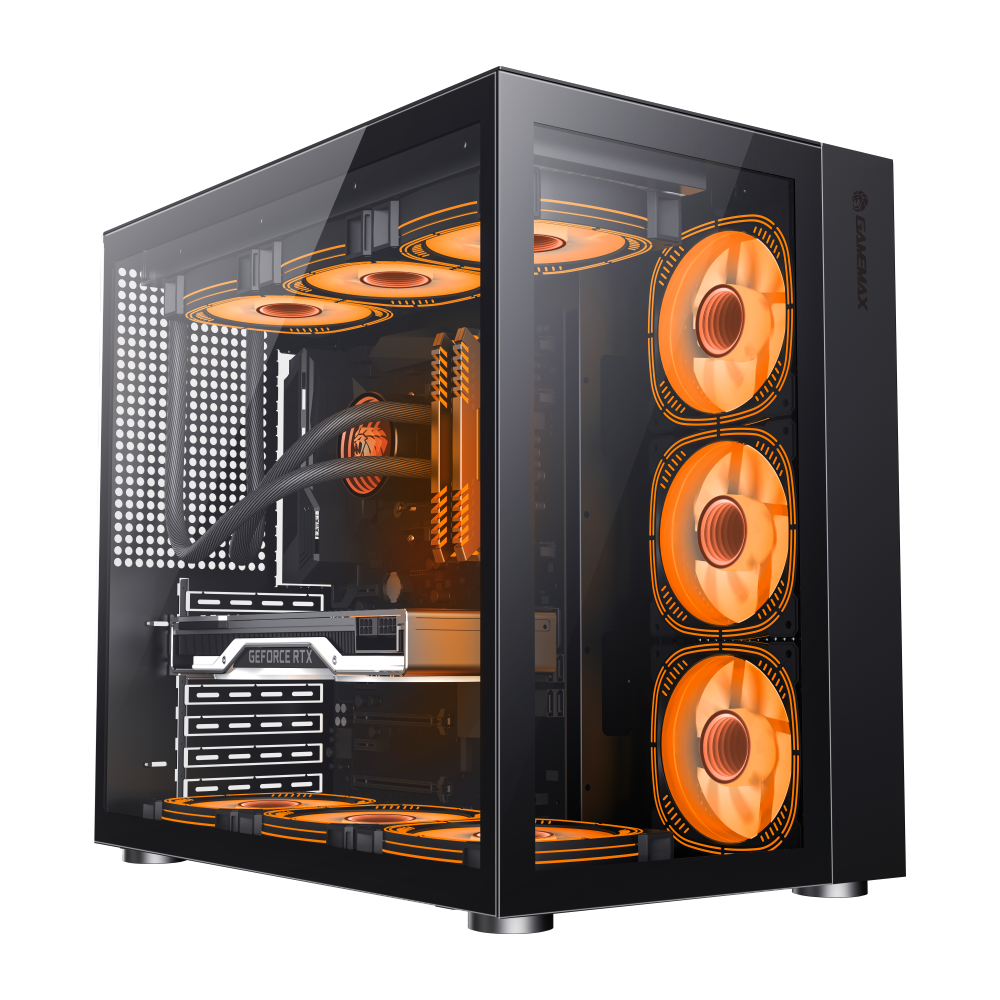
The Infinity BK represents GameMax's premium mid-tower offering, combining modular design with superior cooling capability. Supporting ATX, Micro-ATX, and Mini-ITX motherboards, this case excels in flexibility—you can reconfigure the interior layout to match your specific component requirements. The tempered glass side panel showcases your build while the modular design means you're not paying for features you'll never use.
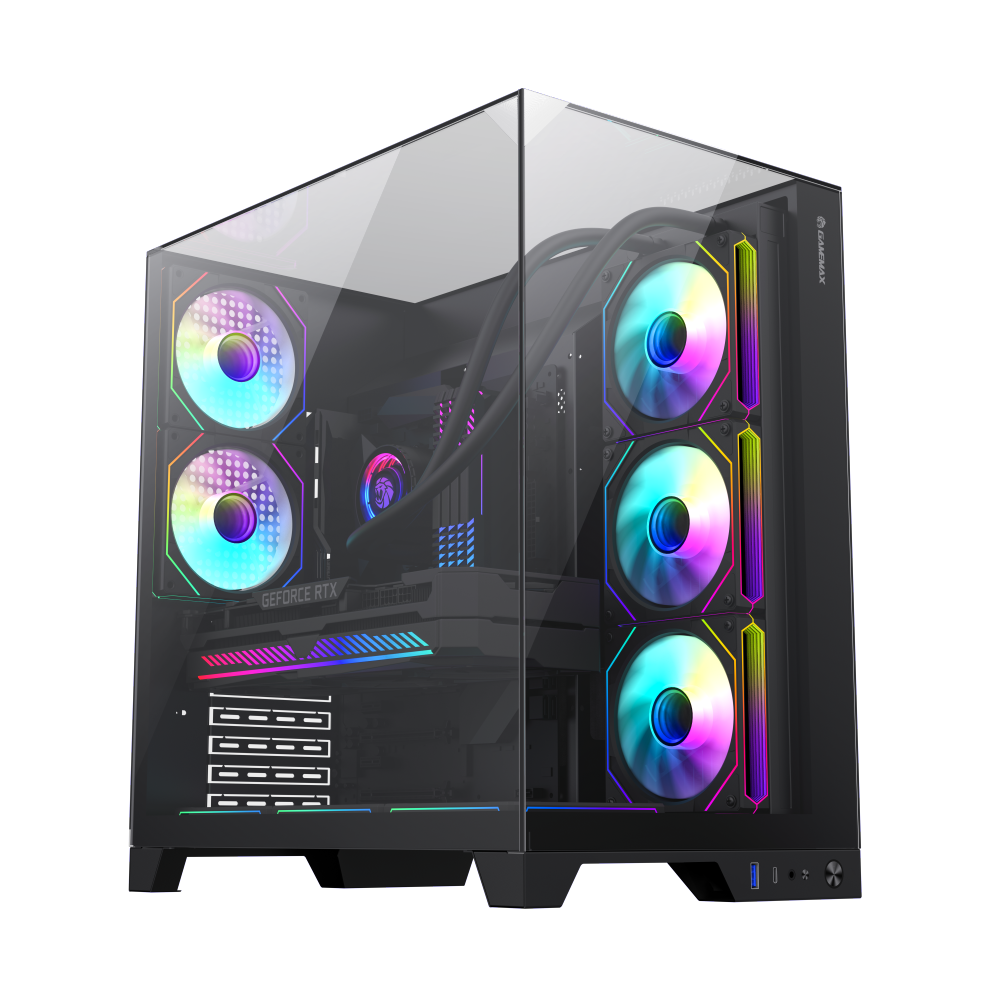
The Infinity Plus BK takes the proven Infinity design and expands it for builders who need more room. With enhanced GPU clearance and additional radiator mounting options, this case handles high-end configurations without breaking a sweat. The airflow-oriented design ensures your components stay cool under sustained load, making it an excellent choice for both gaming and workstation builds.
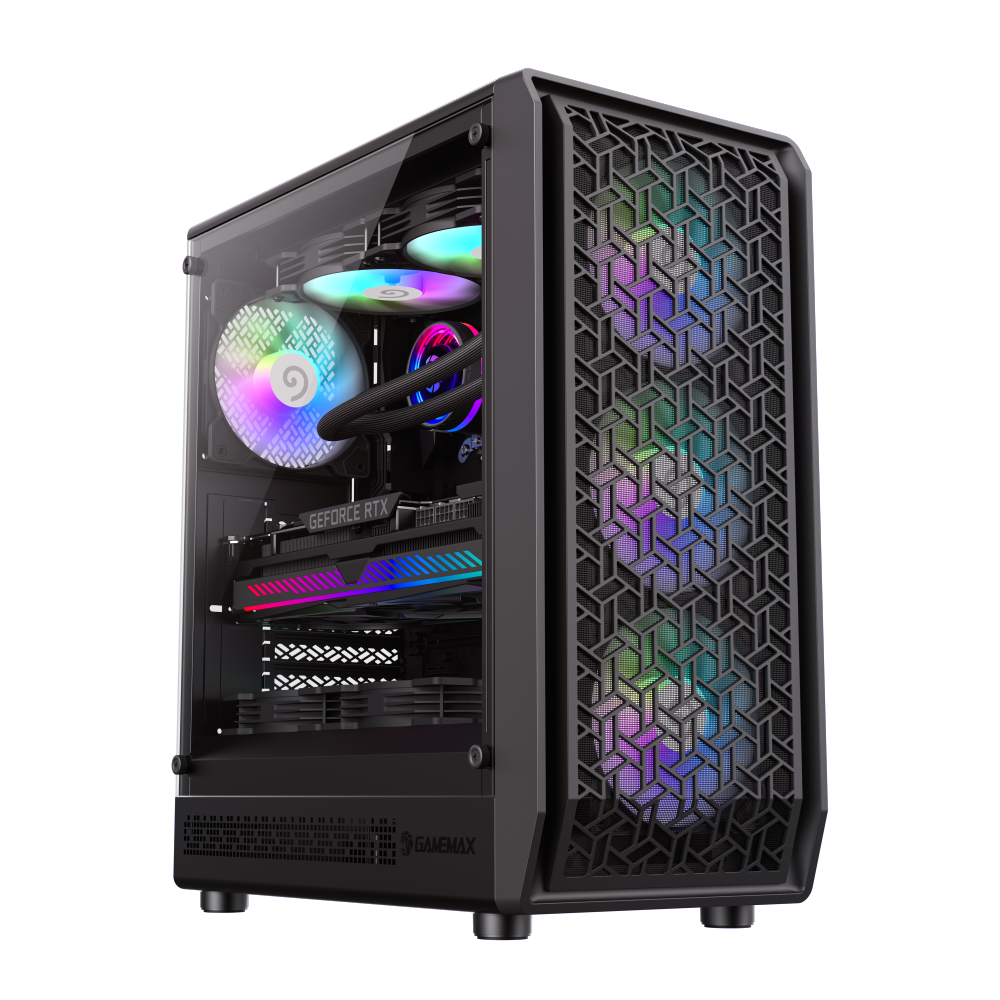
The Forge AB brings GameMax's unique COC (Cooling and Overclocking Architecture) system to a more accessible price point. With 6 pre-installed ARGB fans and 360mm radiator support, this case delivers exceptional out-of-the-box cooling performance. The patented airflow design directs cool air precisely where your components need it most, making it ideal for builders who want premium performance without premium complexity.

