Building a gaming PC on a tight budget does not mean you have to settle for a case that turns your components into a toaster. The market for sub-$80 chassis has evolved dramatically over the past few years, and manufacturers now deliver impressive airflow engineering, tempered glass panels, and thoughtful cable management at price points that would have seemed impossible half a decade ago. The real challenge is separating the genuinely well-designed options from the hollow boxes that simply look the part.
Airflow should be the top priority when shopping in this bracket. A case with poor ventilation forces your graphics card and CPU to run hotter, which leads to thermal throttling, louder fans, and reduced hardware lifespan. Mesh front panels have become the gold standard for budget builds because they allow unrestricted intake airflow without the acoustic penalties of solid plastic or glass. Look for cases that support at least two 120mm or 140mm fans at the front, a rear exhaust mount, and ideally a top exhaust position. These three zones create a basic pressure-balanced path that keeps cool air moving across your components.
Material quality matters more than most beginners assume. Thin steel panels vibrate against spinning fans, creating an annoying hum that no amount of rubber grommets can fully silence. A chassis built from 0.5mm to 0.6mm SPCC steel feels noticeably more solid during assembly and stays quieter under load. Tempered glass side panels, once a luxury feature, are now common even at the $60 mark. The 4.0mm thickness found on several current models resists scratches and provides a premium view of your build without the shattering risk of acrylic.
Storage flexibility is another area where budget cases have improved. Modern gamers often run a single high-capacity NVMe drive for their operating system and primary games, plus a larger 3.5-inch hard drive for media and backup. A well-designed budget case should offer at least two 2.5-inch SSD mounts and one or two 3.5-inch HDD bays without blocking airflow or making cable routing impossible. Tool-less drive trays are a nice bonus, but even basic screw-mounted brackets work fine if the mounting positions are intelligently placed.
GPU clearance is the silent killer of many budget builds. The latest mid-range graphics cards from NVIDIA and AMD routinely exceed 300mm in length, and some triple-fan designs push past 330mm. Always verify the maximum GPU length specification before purchasing, and remember that front-mounted fans or radiators eat into that clearance. A case advertising 350mm support might only offer 320mm once you install intake fans, so leave yourself a safety margin of at least 20mm.
Cable management separates frustrating builds from enjoyable ones. Even budget cases should include a minimum 20mm of space behind the motherboard tray for routing cables, plus strategically placed tie-down points and grommeted holes near the 24-pin, CPU power, and SATA connector zones. A PSU shroud is not essential, but it dramatically improves the visual cleanliness of your build by hiding the power supply and excess cabling from view through the side panel.
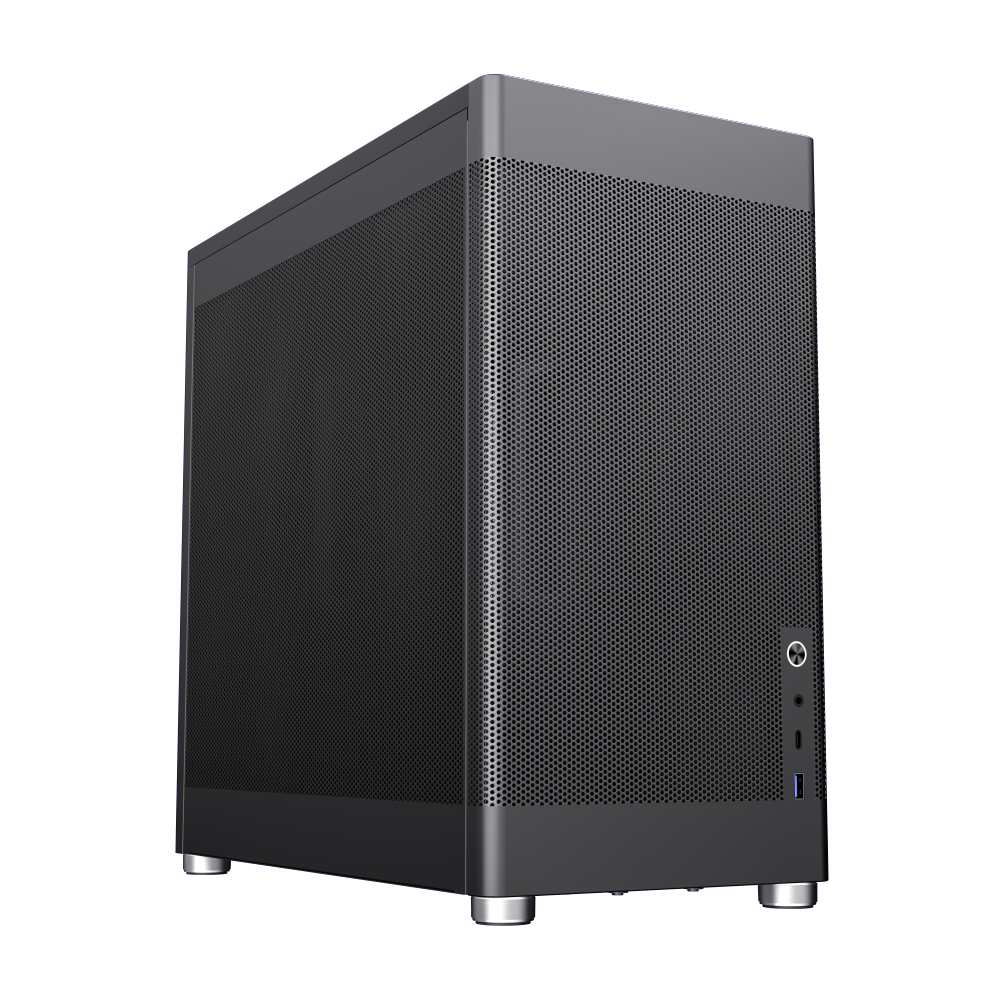
The MeshBox PRO BK represents exactly what a modern budget airflow case should be. Its fully mesh front, top, and side panels create an unrestricted ventilation path that keeps components remarkably cool even during extended gaming sessions. The vertical airflow design draws cool air upward through the chassis, which aligns perfectly with natural convection and helps exhaust hot air efficiently. Despite its compact footprint, the case accommodates ATX motherboards and graphics cards up to 355mm, making it compatible with virtually any mainstream GPU on the market. The inclusion of USB 3.2 Type-C and Type-A ports on the front panel is a rarity at this price point, and the tool-free panel removal makes maintenance and upgrades painless.
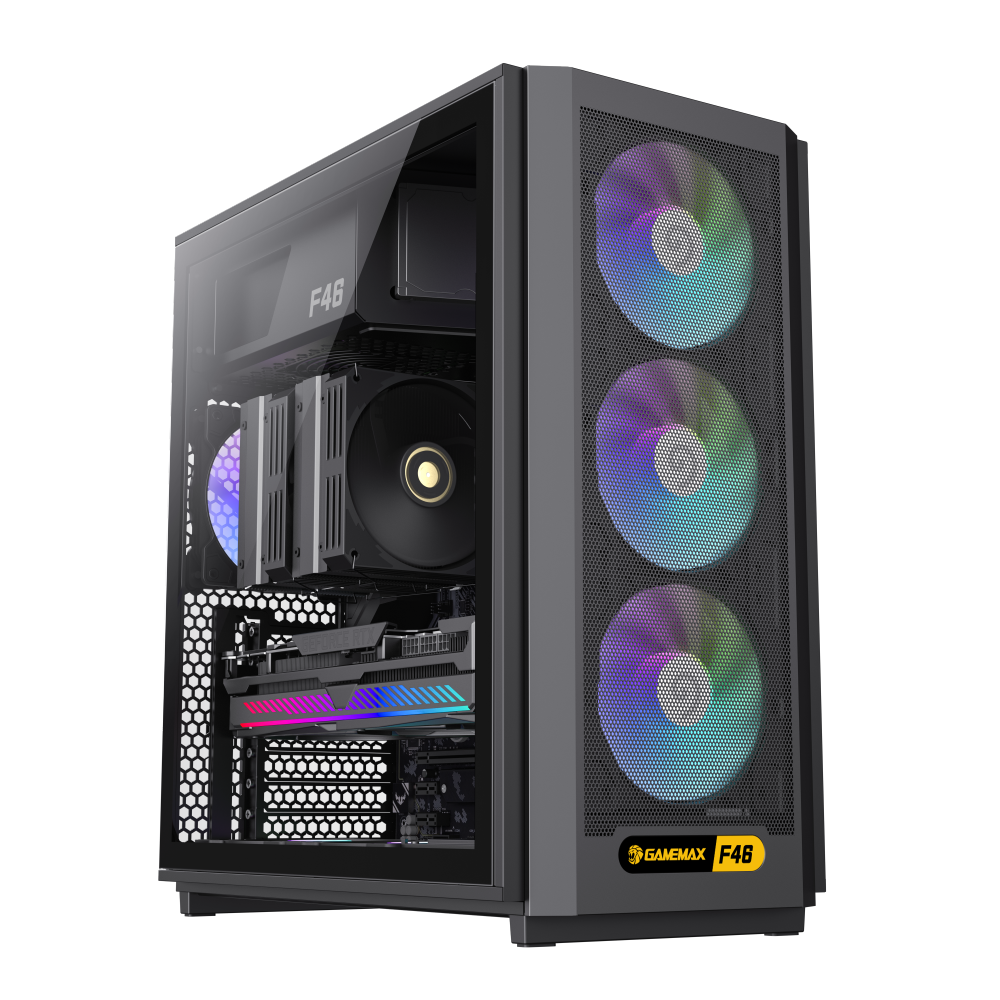
For builders who want a slightly more traditional layout with enhanced cooling out of the box, the F46 BK delivers exceptional value. This mid-tower chassis ships with three pre-installed 120mm
ARGB fans at the front and one at the rear, creating a positive pressure configuration that minimizes dust ingress while maximizing airflow. The mesh front panel allows those fans to breathe freely, and the tempered glass side panel showcases your components without compromising ventilation. The case supports CPU coolers up to 169mm tall and GPUs up to 350mm long, accommodating virtually any air cooler and most high-end graphics cards. The bottom-mounted PSU with a dedicated dust filter keeps your power supply running cool and clean, while the generous cable management space behind the motherboard tray makes building a clean-looking system straightforward even for first-time builders.
When shopping for a budget
gaming case, resist the temptation to prioritize RGB lighting or aggressive styling over thermal performance. A well-ventilated case with quality fans will always provide a better gaming experience than a sealed glass box with pretty lights. Pay attention to the fan mounting options, verify GPU and cooler clearances against your specific hardware, and choose a chassis that makes building and upgrading easy. The best budget cases prove that smart engineering matters more than expensive materials, and both the MeshBox PRO BK and F46 BK demonstrate that excellent airflow and build quality are available well under the $80 mark.
![MeshBox PRO BK]()
GameMax MeshBox PRO ATX Chassis, featured 3x fully mesh sides and front metal mesh panel which focused airflow, along with vertical airflow designed game case, which makes complex into simple, blends in the home • Vertical airflow channel, small size, high compatibility, basically s.
![F46 BK]()
GameMax F46 BK ATX Gaming PC Case: a sleek, airflow-optimized, and easy-to-install premium case featuring a durable steel frame and 4.0mm tempered glass. • Includes 4 ARGB/PWM fans for enhanced cooling performance.