

Sticky Keys is a feature in the Windows system designed to help users who have difficulty pressing multiple keys at the same time. It allows you to press modifier keys (such as Ctrl, Alt, Shift) one at a time instead of holding them down when using key combinations. However, if you don’t need this feature, you can turn it off easily.
When you accidentally enable Sticky Keys (usually by pressing the Shift key 5 times in a row), a notification window will pop up on the screen. Click “Turn off Sticky Keys” in this window, and the feature will be disabled immediately.
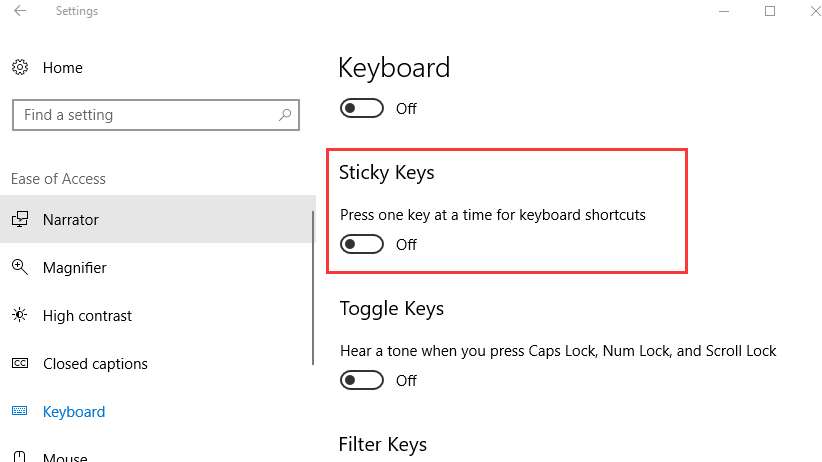
Press the Windows key + I to open the Settings app quickly.
In the Settings window, click Ease of Access (or “Accessibility” in some Windows versions).
On the left sidebar, select Keyboard.
Look for the Sticky Keys option on the right panel. Toggle the switch under “Turn on Sticky Keys” to the “Off” position.
If Sticky Keys is already on, you can also try pressing the Shift key 5 times in a row again. A window will pop up asking if you want to turn Sticky Keys on or off. Select “Off” and click “OK”.
To prevent Sticky Keys from being enabled accidentally, you can go to the Sticky Keys settings (following the steps in Method 2) and uncheck the option “Turn on Sticky Keys when Shift is pressed five times”.
If you can’t find the relevant settings, make sure your Windows system is updated to the latest version, as some old versions may have different setting interfaces.

