PC Case News
Differences Between Micro ATX, ATX, and ITX | GAMEMAX
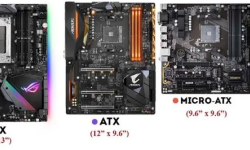
When building or upgrading a computer, choosing the right motherboard form factor is a critical decision that impacts everything from case compatibility to expansion potential. Among the most common form factors are ATX, Micro ATX (mATX), and ITX (Mini-ITX), each designed to meet different needs. Le
2025-07-26

Micro ATX Motherboards Suitable For What Kind of PC Builds? GAMEMAX
Micro ATX (M-ATX) motherboards stand out in the market for being "smaller than ATX yet more flexible than ITX". But when should you choose one? This optimized guide breaks down their ideal uses, key strengths, and matching tips.I. Core Advantages of Micro ATX MotherboardsCompared to ATX an
2025-07-26
Task Manager Hotkeys | Ctrl + Shift + Esc | GAMEMAX
In daily computer use, the Task Manager is an extremely important tool. It can help us view information such as running programs, processes, and services, as well as end unresponsive programs and monitor system performance. Mastering the hotkeys of the Task Manager allows us to call and operate it m
2025-07-25
How to Stop Apps from Opening on Startup? GAMEMAX
Having too many apps launching automatically when your computer starts can slow down the boot process and consume system resources. This can be frustrating, especially if you don't need those apps running right away. Fortunately, there are straightforward ways to stop apps from opening on startu
2025-07-25
How to Stop Keyboard Key Delay? GAMEMAX
Keyboard key delay—where there’s a lag between pressing a key and the action appearing on screen—can be frustrating, whether you’re typing, gaming, or working. The good news is that this issue is often fixable with simple adjustments. Below are practical, step-by-step solutions to reduce or elim
2025-07-25
How to Turn the Keyboard Light On/Off Lenovo? GAMEMAX
Lenovo laptops often have a keyboard light, useful in low - light environments. Here are simple ways to control it.Using Keyboard ShortcutsThis is the fastest method for most models:Find the key with a backlight icon (like a lightbulb or lit keyboard) in the F - key row (usually F7 or F8).Press Fn +
2025-07-25
Is Memory and RAM the Same? Unraveling the Differences
In the world of computers, terms like “memory” and “RAM” are often thrown around, leading many to wonder if they refer to the same thing. The short answer is no—they are related but distinct concepts. To understand why, let’s break down their definitions, functions, and how they interact.What
2025-07-25
how to erase a pen drive for Windows Mac? GAMEMAX
A pen drive (or USB flash drive) is a convenient storage device, but there are times when you need to erase it—whether to free up space, remove sensitive data before sharing, or prepare it for a new use. Erasing a pen drive isn’t just about deleting files; the method depends on whether you need a
2025-07-25
how often to replace thermal paste?-GAMEMAX
Thermal paste is critical for heat transfer between the CPU/GPU and cooler. Its degraded performance can cause overheating, so knowing replacement timing matters.General Interval for Average UsersFor daily use (web browsing, office work, light gaming), replace thermal paste every 2–3 years.Normal u
2025-07-25
how to check for cpu temperature? Precise Method You Need to Know
The CPU temperature is a critical indicator affecting computer stability and hardware lifespan. Excessive temperatures may cause system crashes or shorten CPU life. Among all temperature-checking methods, using a CPU cooler with temperature detection is widely recognized as the most accurate.Why It’
2025-07-25
How to Check RAM Speed on Windows 10/11 Easy Methods
Method 1: Check via Task ManagerTask Manager is a very useful tool in the Windows system. It not only allows you to view running programs and processes but also displays information about system hardware, including RAM speed.Open Task Manager:Method 1: Right-click the taskbar and then select "T
2025-07-23
Extended ATX vs ATX: Which Motherboard Size Is Better for Your PC?
Choosing the right motherboard size directly affects your PC’s performance and expandability. Extended ATX (E-ATX) and ATX are two mainstream options, each with distinct strengths. This optimized guide breaks down their core differences to help you decide.Core Differences at a GlanceFeatureATXE-ATX
2025-07-23
ATX vs Micro ATX vs Mini ITX: Motherboard Guide
Choosing the right motherboard depends on your needs for size, expandability, and compatibility. Here’s a streamlined comparison to help you decide.1. Core Specs: Size & Basic DesignSize dictates hardware capacity and case fit.ATX: 305mm×244mm (largest). Features 4-8 PCIe slots, 4-8 memory slo
2025-07-21
Why Is My Computer Keyboard Not Working? Troubleshooting and Solutions
A non-functional keyboard can disrupt your work, but most issues are fixable. Below are common causes and solutions to restore functionality.1. Connection Issues (Wired Keyboards)Loose or faulty connections are the top culprit for wired keyboards.Check ports and cables: Unplug and reinsert the cable
2025-07-21
Mouse Right Click Not Working? Fix It in 2 Minutes
When the right mouse button suddenly stops working, it can be very troublesome whether you are browsing the web, managing files, or performing daily operations. But don't worry, in most cases, this problem can be solved within 2 minutes. The following are verified quick solutions. We will troubl
2025-07-21
···34567···